Built for the whole workflow

Everything moves with your task

Start from an issue. Move to code, terminal, Git diff, review, PR, and CI, all without switching context.

Works with GitHub, GitLab, and Bitbucket. Use the models that fit the job, bring your own keys, or use included credits.

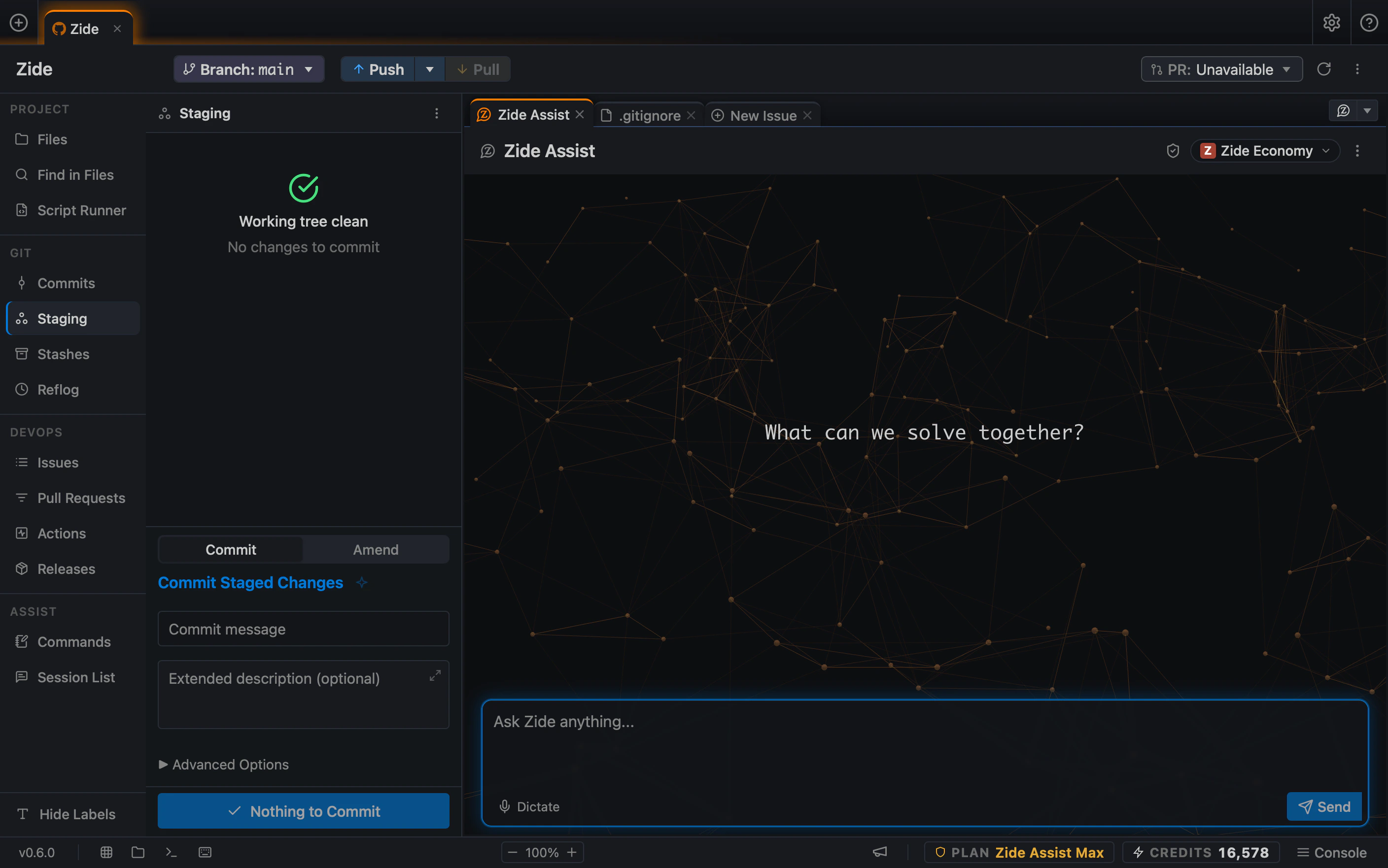
The Zide workspace: a project's files, Git, and DevOps surfaces in the sidebar, Git staging in the left pane, and a Zide Assist conversation on the right
Why Zide

Development has changed. The workflow hasn’t.

Software development has grown increasingly fragmented. A single task forces you to switch between issues, editors, terminals, Git, CI, and multiple AI assistants. Each tool works fine on its own but together, you’re forced to remember where every part of your project is.

Zide unifies projects, issues, AI agents, Git, CI, and pull requests into one native desktop workspace. Not because tool-switching is impossible, but because context loss adds up over a real week of engineering.

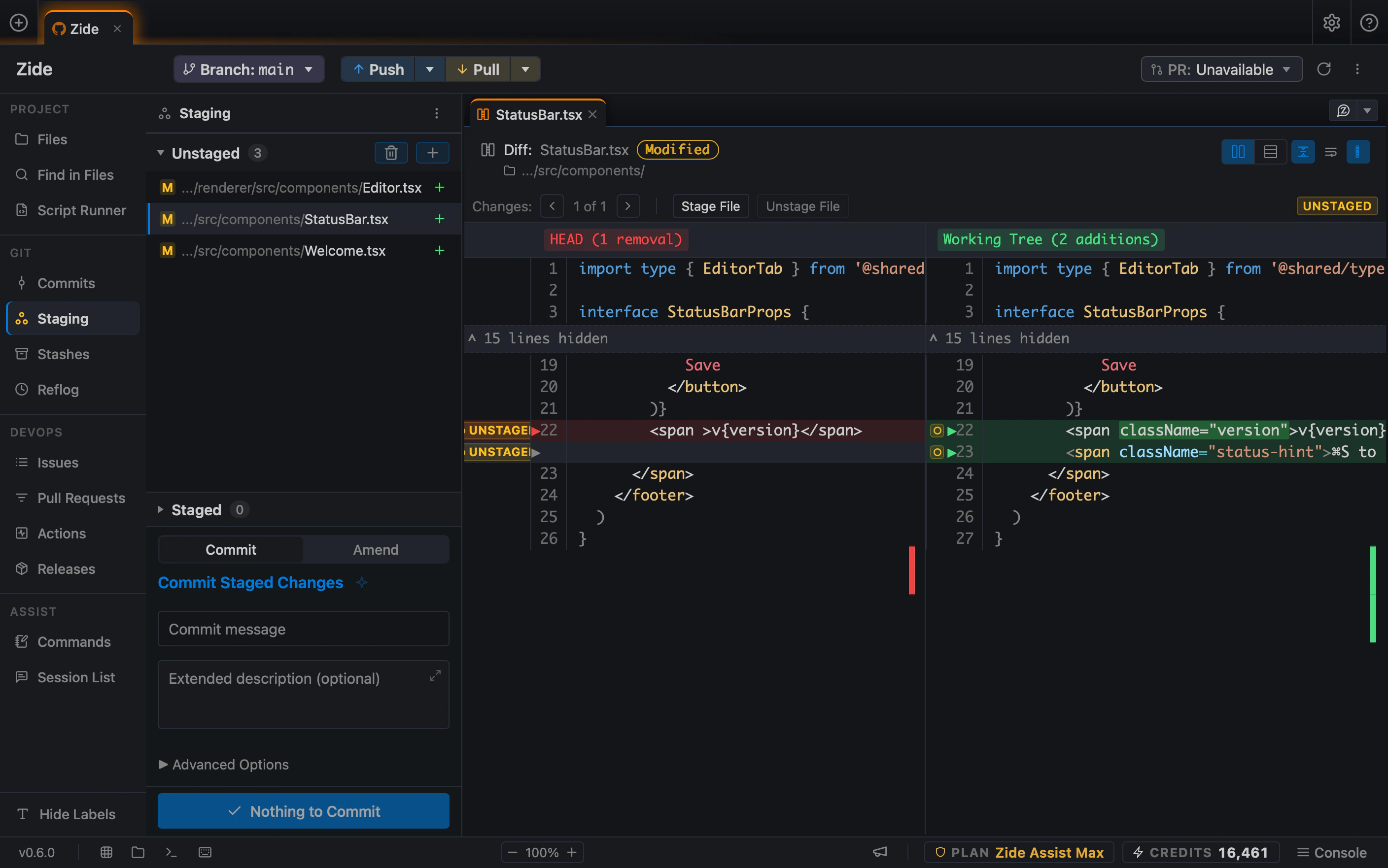
Zide's Git staging surface beside a side-by-side diff: three modified files listed on the left, the selected file's committed and working-tree versions compared line by line, and a commit message box below

Not another editor with a chat box

Most AI developer tools are still just an editor with a chat box attached. They are great at generating code, but writing code isn’t the whole job.

Someone still has to triage issues, assemble context, review diffs, manage Git branches, monitor CI pipelines, and approve what ships. Zide is built for the entire engineering loop, not just the moment code gets typed.

See the workflow

From issue to pull request in one workspace

Start with an issue. Ask the agent to work in your repo. Review the diff. Stage the change. Open the pull request. Check CI. Zide keeps the work around the code in one place, so you are not rebuilding context across an editor, terminal, Git client, browser tabs, and AI chat.

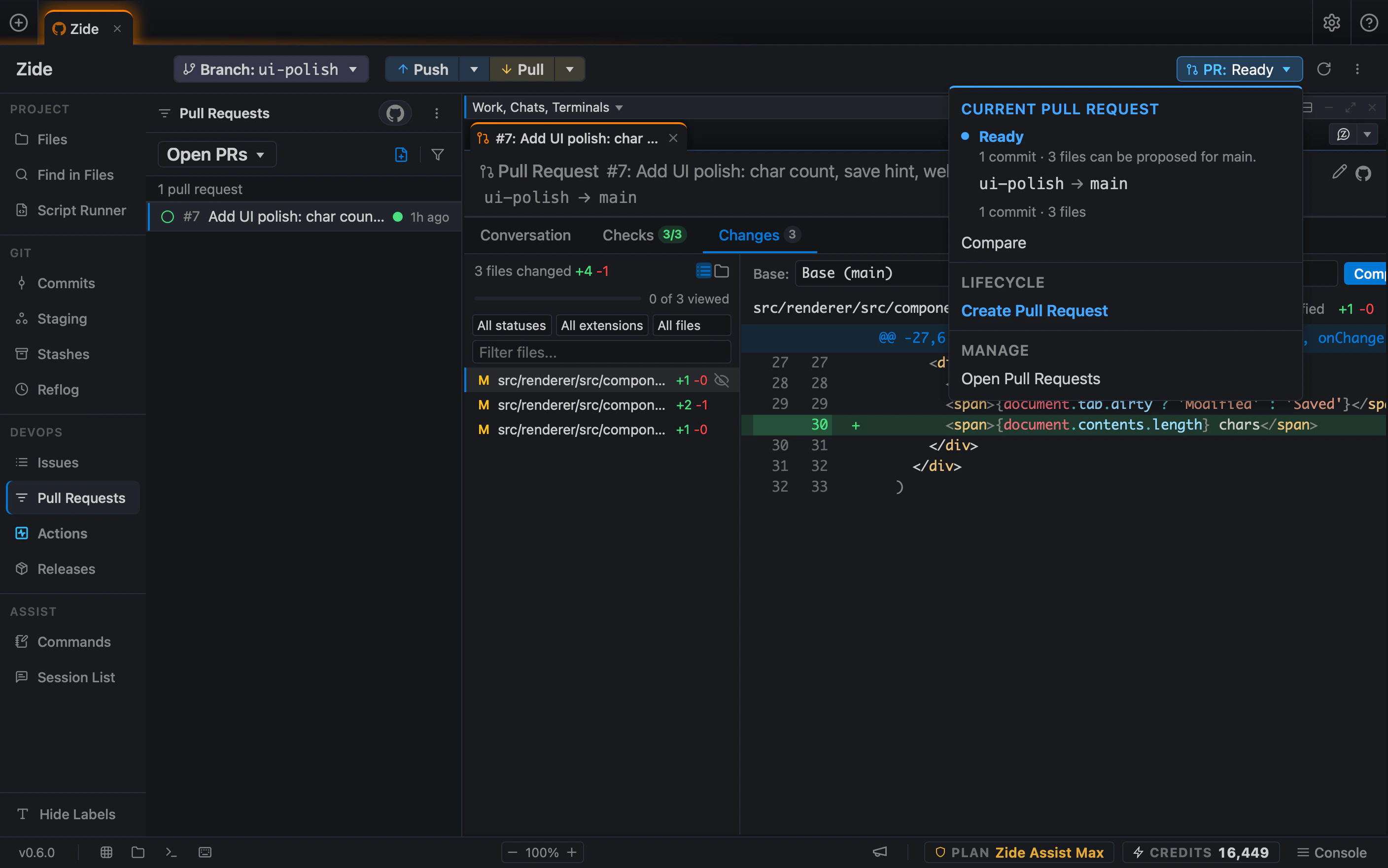
A pull request open in Zide: the repository's open pull requests in the sidebar, the PR's changed files and diff in the main pane, and a status menu showing the branch is ready to merge into main
  1. Open issues from GitHub or GitLab.

  2. Drag issue details, files, diffs, or tabs into context.

  3. Ask Zide Assist to investigate, plan, or make changes in your repo.

  4. Review proposed changes as diffs before you commit.

  5. Stage hunks, commit changes, open a PR or MR, and watch CI.

  6. Keep the issue, code, diff, PR, terminal, and CI run visible together.

Editor

A full-featured editor, not a prompt box

Every task comes down to reading and writing code. Zide features a native, high-performance editor built with deep language intelligence, native Git awareness, and modern editing mechanics, giving you a precision workspace instead of just a canvas for AI output.

Language intelligence

  • Syntax highlighting across popular languages and markup.
  • LSP-powered diagnostics, hover info, go-to-definition, and symbol search for Rust, TypeScript, JavaScript, Python, Go, Bash, HTML, CSS, and JSON.

Fast, precise editing

  • Multi-cursor workflow.
  • Find and replace with match highlighting, go-to-line, go-to-symbol.
  • Code folding, bracket matching, and auto-completion for brackets and quotes.
  • Line and block commenting, move, duplicate, delete, and join.

Git-aware editing

  • Inline gutter indicators with hunk previews, staging, quick revert, and full diffs, without leaving the file.
  • Inline merge-conflict navigation and resolution.
  • Built-in file history, blame, and commit diffs.

See it before you commit

  • Side-by-side previews for Markdown, HTML, SVG, JSON, CSV, XML, PDFs, images, audio, and video.
  • Split editing with synced document state and shared undo/redo.

Stay in control

  • Smart indentation with EditorConfig support.
  • Configurable word wrap, whitespace display, fonts, and minimap.
  • Encoding, line-ending, indentation, BOM, and final-newline controls.
  • Automatic draft recovery and protection against conflicting disk changes.
  • Breadcrumb navigation and one-click access to files on your Git host.
  • Keyboard-friendly editing with gutter line selection and familiar shortcuts.
AI Agents

The right agent for the job

Use the model that fits the task, work directly in your repo, and review every change before it ships. Zide keeps the agent, code, git, pull requests, and CI in one workspace so you can move from issue to implementation without rebuilding context across tabs.

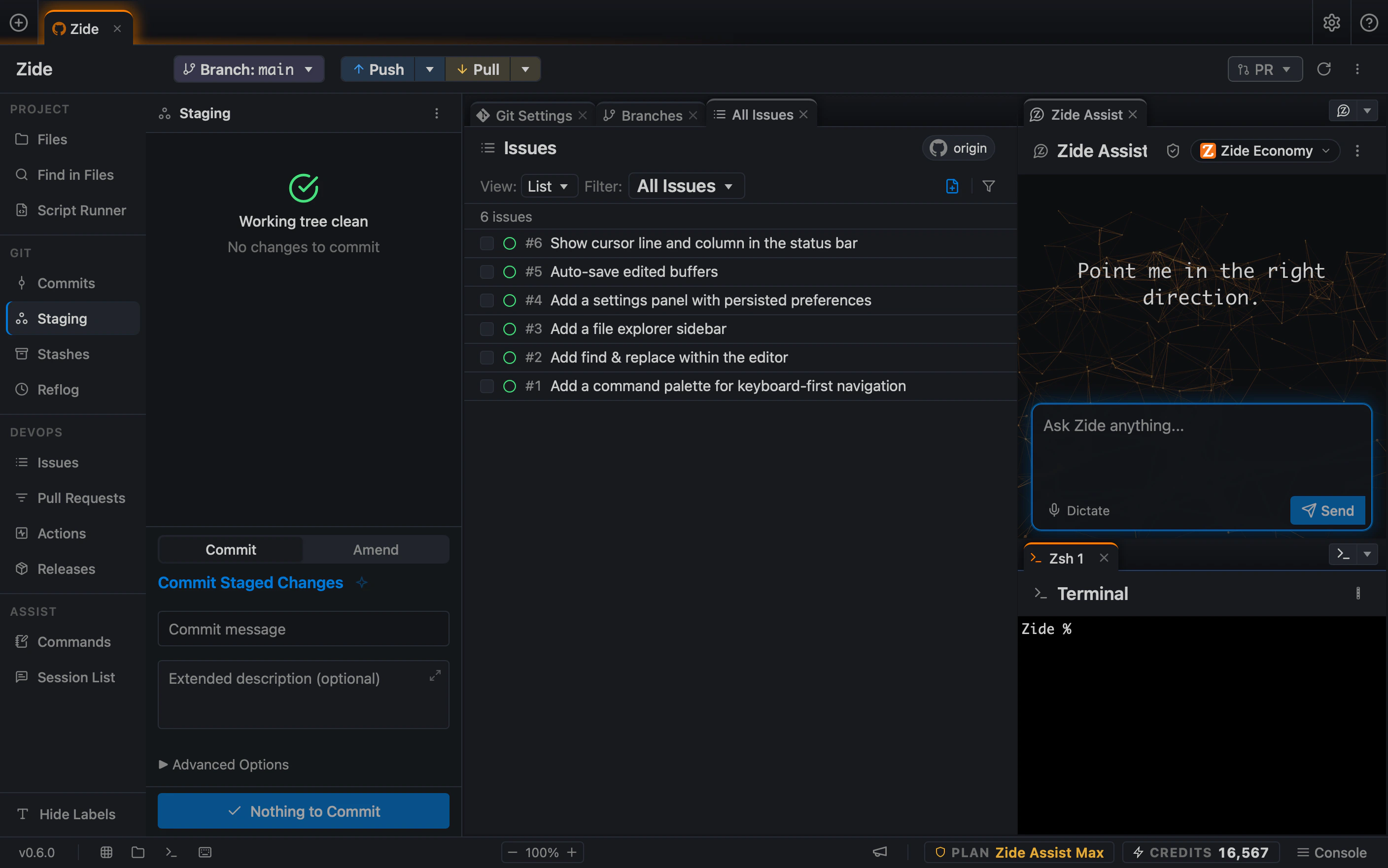
Zide Assist beside the context it works from: an issues list pulled from the repository's origin, Git staging, and a terminal session in the same window

Real engineering work, not autocomplete

Zide Assist is built for repo-level work, not just the next line of code. Ask it to make changes across files, follow a plan, and return the result as a reviewable diff.

Use Plan mode to investigate before changes begin. Redirect or queue messages while it works. Fork from any message, or fork straight into a worktree, to explore another approach without disturbing your current work.

  • Multi-file refactors, renames, and migrations.
  • Dependency upgrades with tests to back them.
  • Codebase-wide bug fixes and cleanups.

An agent that works in your repo

Zide Assist reads the files you choose and proposes changes as diffs. Control which tools Zide Assist can use and require approval before sensitive actions run. Drag issue details, files, diffs, or tabs into context.

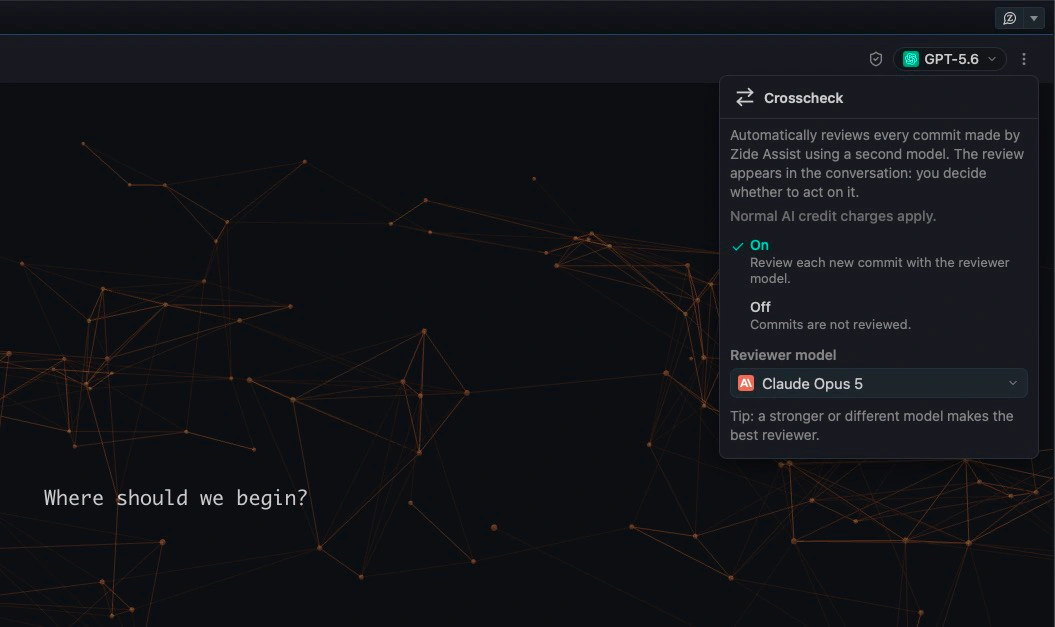
Stay in control at every step. Use Plan mode to investigate and propose before implementation begins. Use Crosscheck to have another model review the proposed change. Review each change as a diff before it is applied, committed, or shipped.

  • Work with the models you already trust.
  • Bring your own API key, including OpenRouter, or use included credits.
  • Review diffs before changes are applied.
  • Add context by dragging tabs or items into a prompt.
  • Set Tool Access and Approvals for the session.
Zide Assist

The AI agent built into Zide

Zide Assist works across your repository, edits files, and returns changes as reviewable diffs. It is designed for repo-level work and the full development path around the code.

Plan before changes

Use Plan mode to investigate the repository and propose an approach before implementation begins. Set Tool Access and Approvals for the session. Review the resulting diff before anything is committed or shipped.

Explore another direction

Fork from any message to start a new session without losing the original thread. Fork to Worktree gives the new direction its own isolated files, branch, and working state. Rollback returns the session to an earlier message when an approach is not working.

Direct the work while it runs

Send a redirect while Zide Assist is working, or queue the message for the next turn. Build multi-step prompts, dictate a message, attach files, and add context from tabs, issues, pull requests, and diffs.

Choose how AI is accessed

Switch models without rebuilding the session context. Bring your own API key, connect OpenRouter, use an eligible model subscription, use included credits, or run a compatible local model.

Connect tools and project context

MCP Connections link Zide Assist to tools exposed through Model Context Protocol servers. Supported CLI agents can work beside Zide Assist. ZIDE.md carries durable project instructions into new sessions.

Keep sessions visible

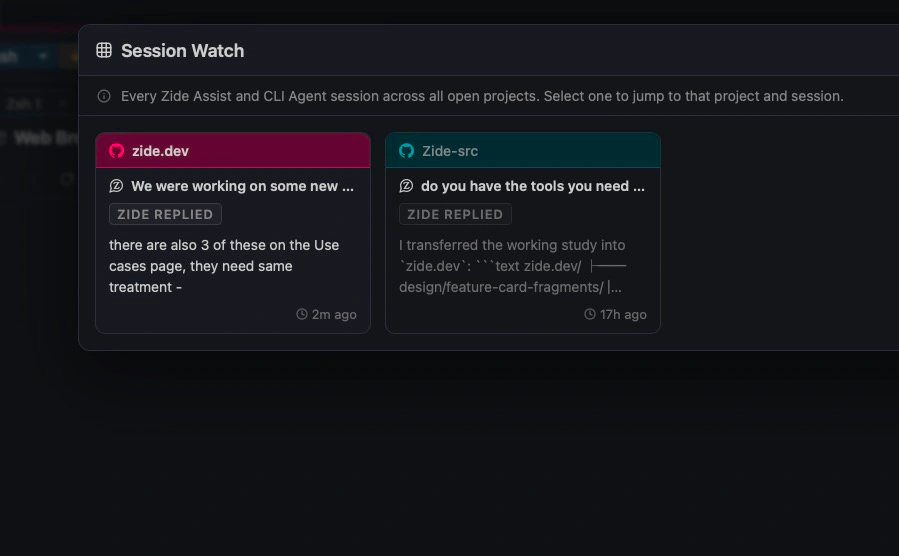
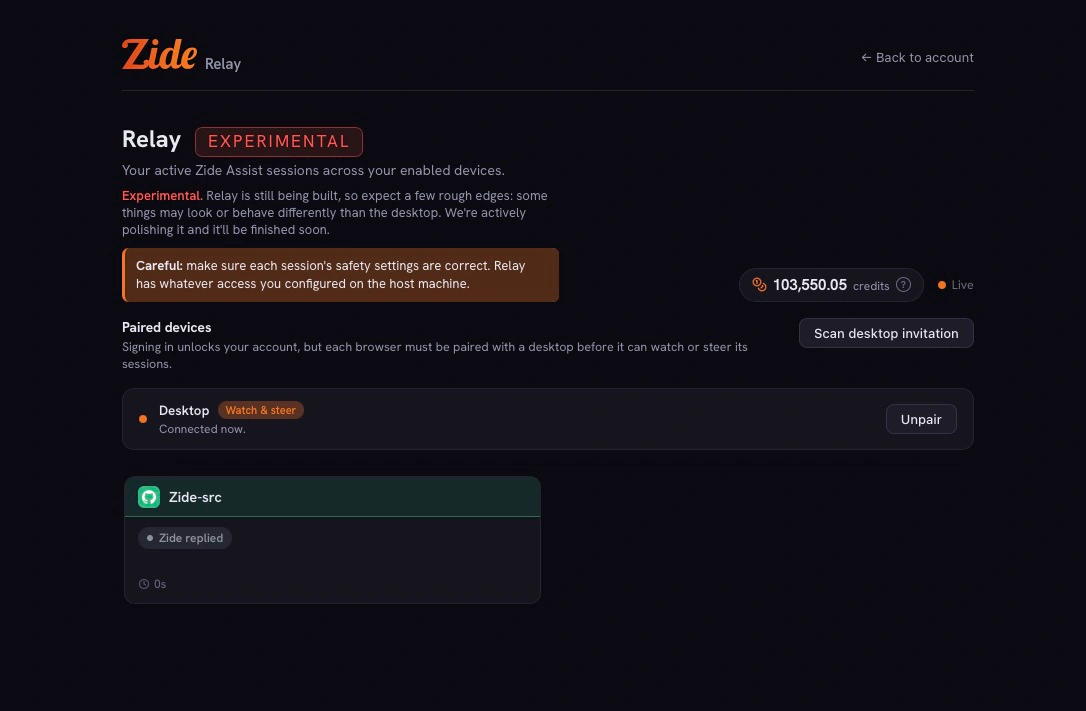
Run multiple sessions across projects. Session List and Session Watch show where the work stands. Relay takes an active session to your phone. Compact long sessions, rename them, or use automatic titles to keep the workspace organized.

Start from the work

QuickTree starts a prompt in a new worktree with Ctrl+Enter. Work on This Issue begins from an assigned issue. The New Project wizard helps start a project, and Ask Zide answers questions from the documentation panel.

More ways to direct the work

Edit and resend an earlier message, save reusable prompts as commands, and follow Turn Progress and Session Stats as the work develops. Use @file, /commands, /sidebar, and the Prompt Library to add context and reuse common workflows. View Background Processes alongside active sessions, and use model presets and route selection to configure how each session accesses AI.

Agentic Features

Built for agentic development

QuickTree, Crosscheck, Session Watch, Relay, and CLI agent support bring agentic work into the full development workflow. Plan mode, Fork to Worktree, MCP Connections, voice dictation, and multi-step prompts give developers more ways to direct the work and stay in control.

QuickTree

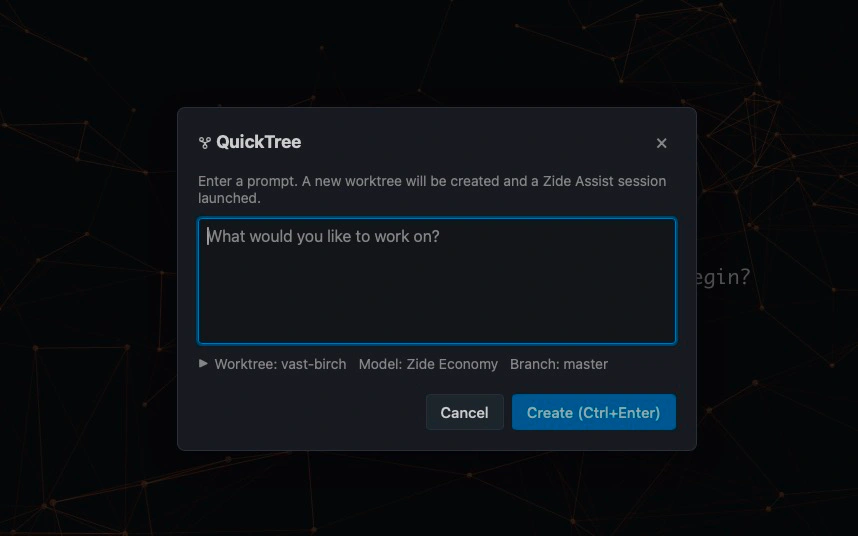
Create a worktree in seconds. Press Ctrl+Enter, enter your prompt, and Zide creates the worktree and opens the prompt in a new Zide Assist agentic session.

Crosscheck

Let one model review another model’s work. Use the model you prefer for the task, then have another model automatically review the result and provide feedback.

Session Watch

Monitor your agentic sessions across projects at a glance and see which sessions are ready for your next input.

Relay (Experimental)

Take a Zide session to your phone when you need to step away from your desktop.

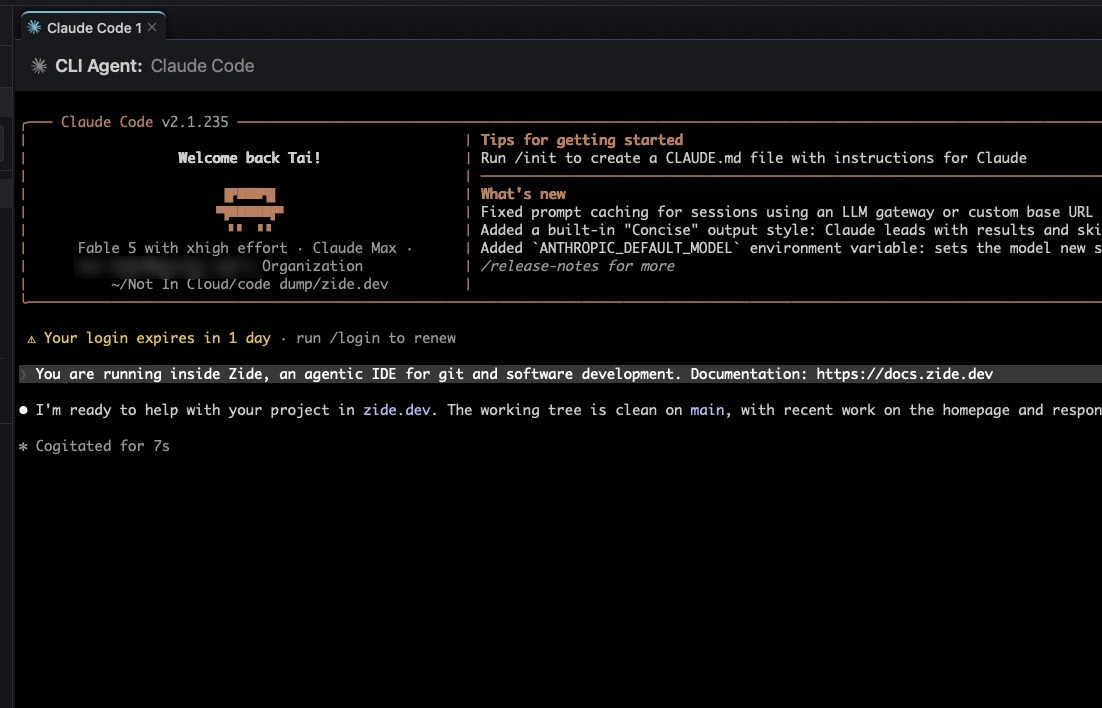
CLI Agent Support

Use supported CLI agents within the Zide workflow alongside your code, Git state, terminals, and project context.

Work with Zide Assist or supported CLI agents while keeping your code, Git state, terminals, and project context in one place. Connect tools through MCP, choose the model that fits the task, and keep durable project instructions in ZIDE.md so each session starts with the right context.

Git & Worktrees

Git that feels like an instrument

Zide gives git a real interface without hiding how git works. Stage individual hunks, read clean diffs, inspect history, and manage branches, stashes, worktrees, and conflicts where the work is happening.

The hard parts of git are not buried in a terminal scrollback or split across tools.

  • Hunk-level staging.
  • Inline conflict resolution.
  • Visual commit graph with ahead/behind tracking.
  • Branches, tags, stashes, reflog, and worktrees as real surfaces.

Keep the state of the work visible while you make decisions: what changed, what is staged, where the branch stands, and what is ready to move forward.

Work multiple branches at once

Work multiple branches at once with full git worktree support. Each worktree opens as its own folder tab.

Keep feature work, fixes, and experiments isolated without constant branch switching or stashing. Fork a conversation into a worktree to give an idea, fix, or experiment its own working state. Return to the original work whenever you are ready.

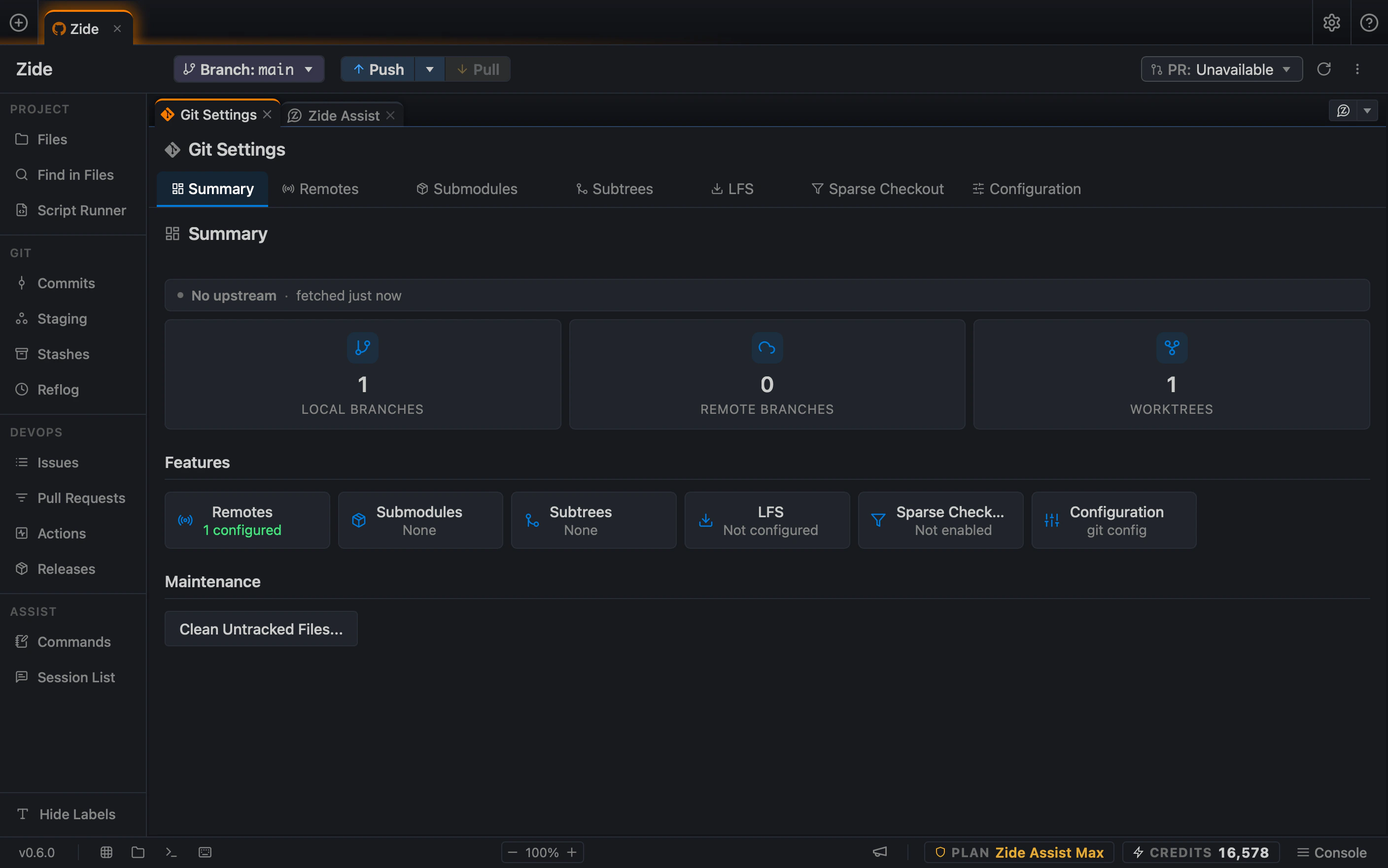
Zide's Git surfaces: commits, staging, stashes, and reflog in the sidebar, with a Git summary showing branch and worktree counts, remotes, submodules, subtrees, LFS, and sparse checkout
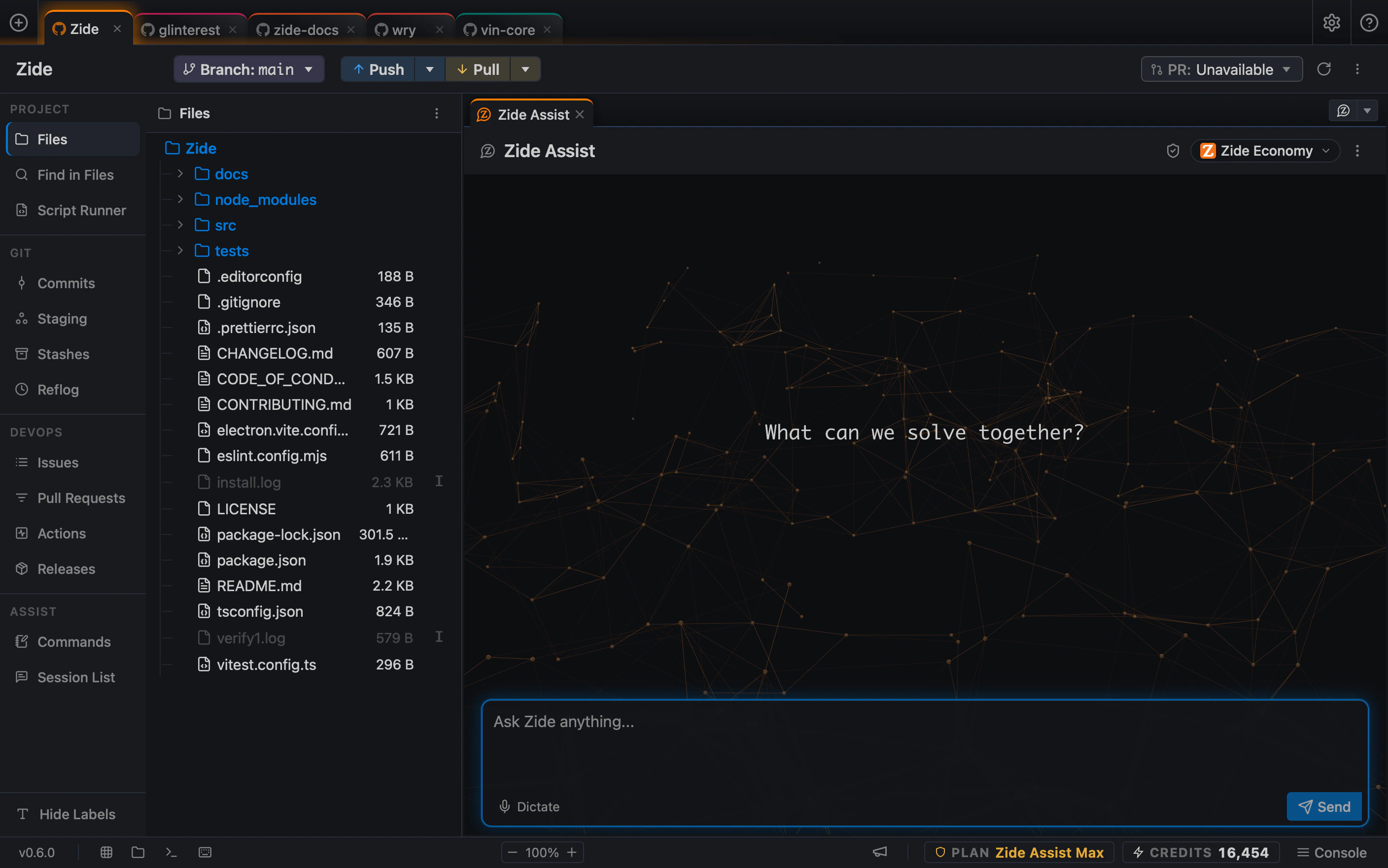
Five repositories open as their own project tabs in Zide, with the selected project’s file tree beside a Zide Assist session
Multi-Repo Workspace

Arrange it like a workspace, not a wall of tabs

Build the layout around the task. Split panes, open extra repos or worktrees, and switch projects without losing your place.

Each project keeps its own workspace state, so you can come back to the same files, terminals, issues, branches, and layout later.

  • Drag tabs to split panes.
  • Start with four preset layouts, then arrange the panes around your task.
  • Create and arrange custom pane layouts that fit your project.
  • Open worktrees and multiple repos as separate folder tabs.
  • Preserve workspace state across project switches.

Built for multi-project work

Developers often work across multiple projects at once. Zide is designed to make project switching cleaner and less chaotic. Instead of resetting context across several tools every time you change tasks, Zide gives you one workflow surface for moving between projects.

Open the next project without mentally rebuilding the last one.
Pull Requests & CI

GitHub, GitLab, and Bitbucket without the browser tab

Triage issues, open and review pull requests, watch CI runs, and cut releases from the same workspace as your code. Drag an issue into a pane, give it to the agent, review the diff, and keep moving.

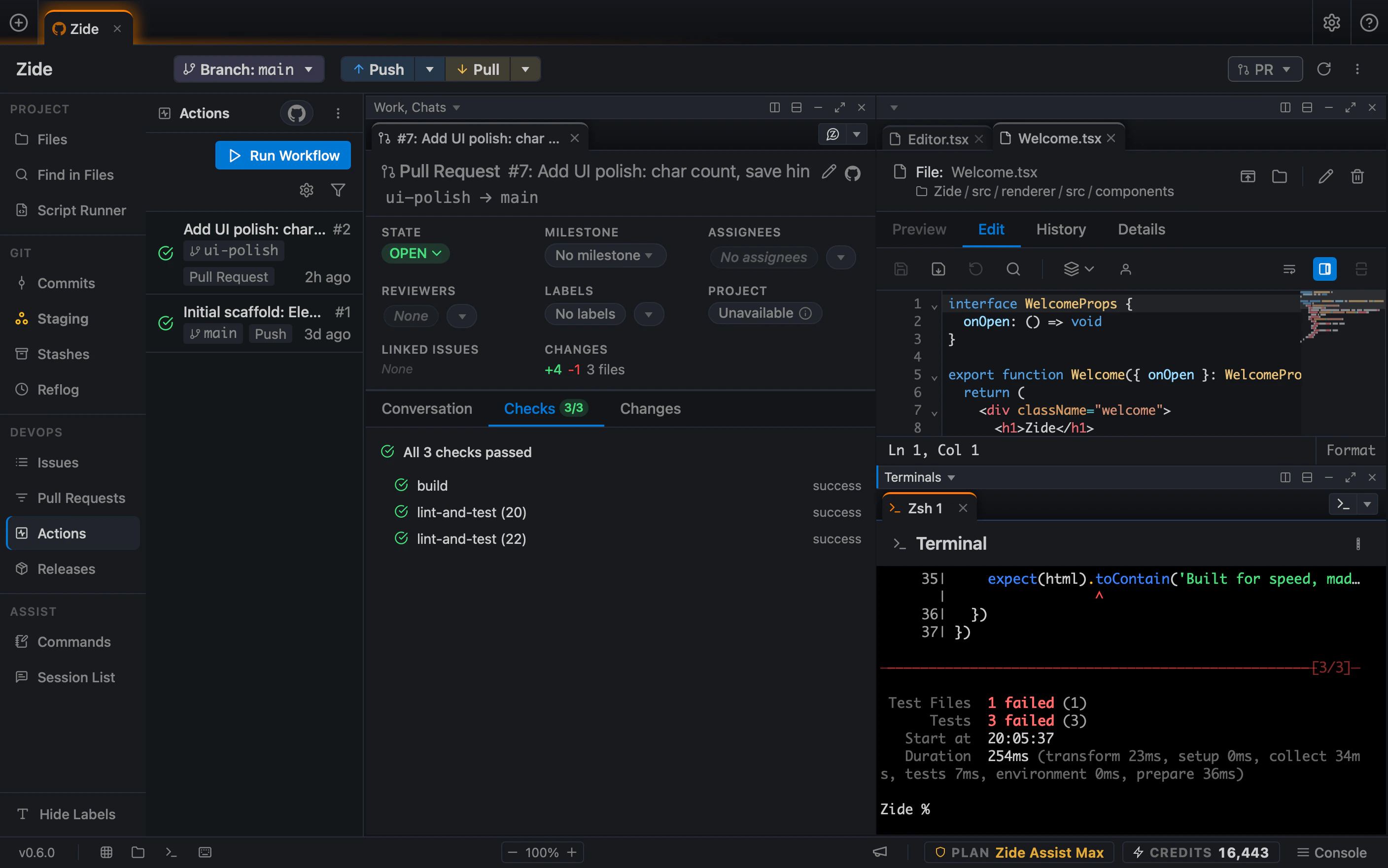
A pull request and its CI results in the same Zide window: the Actions surface lists workflow runs, the pull request pane reports all three checks passed, and an editor and terminal sit in adjacent panes

GitHub, GitLab, and Bitbucket are treated as part of the development workflow, with supported capabilities brought closer to the code instead of living only in separate browser tabs.

  • Issues from GitHub and GitLab with labels, milestones, assignees, and bulk actions.
  • Pull and merge requests: list, create, review, and merge.
  • CI runs across GitHub Actions, GitLab pipelines, and Bitbucket Pipelines.
  • Logs, re-runs, and workflow status beside your work.
Integrations

Git Integration Providers

Connect GitHub, GitHub Enterprise, GitLab, self-hosted GitLab, and Bitbucket to the same workspace as your code, Git state, issues, pull requests, and CI. Issue support covers GitHub and GitLab.

  • GitHubGitHub
  • GitLabGitLab
  • BitbucketBitbucket
Models

Use the models you already trust

Zide Assist works across supported model providers. Switch by task, bring your own API keys, use your own model subscriptions, use included credits, or run local models. Pick the model for the work. Keep the workflow in Zide.

AI platform-agnostic by design

Zide is not built around a single model provider. Use Zide Assist with supported server-based AI models, switch models based on the task, and run compatible local models on your own hardware.

The bigger promise is choice.

  • Use Zide Assist with supported server-based models.
  • Bring your own API key, including OpenRouter, to connect compatible models through your existing provider account.
  • Run compatible local models on your own hardware. Local model requests stay on your machine.
  • Review diffs before changes are applied.
  • Keep issue context, code, git, CI, and PRs visible together.
  • Control which tools Zide Assist can use and require approval before sensitive actions run.
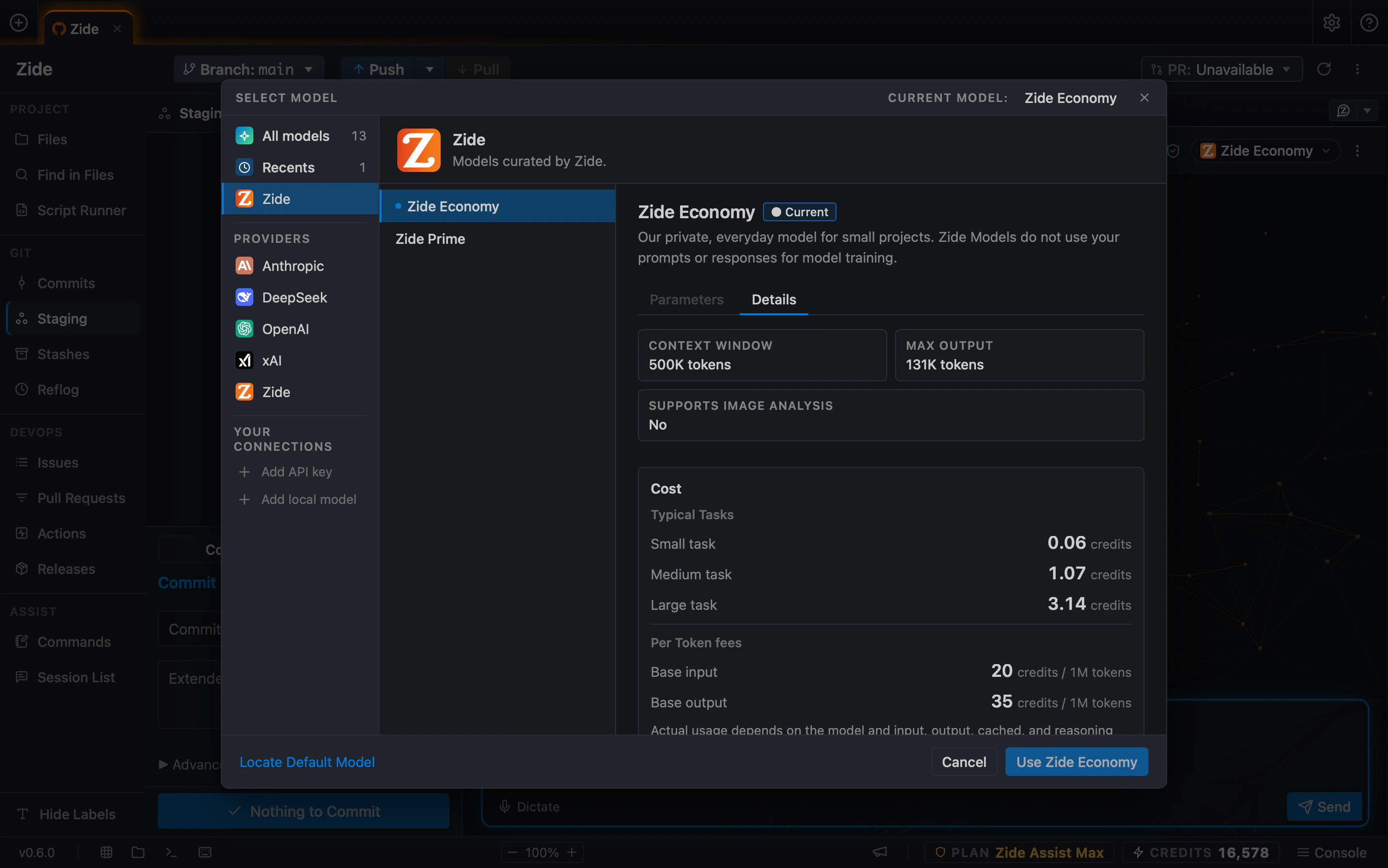
Zide's model picker: providers in a sidebar with the selected model's context window, maximum output, and credit cost
Core Features

Everything in one window

Issue Management

Filter, sort, and triage issues in a multi-pane list. Open several side by side, with labels, milestones, and assignees.

GitHub, GitLab & Bitbucket

Bring supported repository, pull/merge request, CI pipeline, and release workflows from GitHub, GitLab, and Bitbucket closer to the code. Open issues from GitHub or GitLab. Exact capabilities may vary by platform.

File Editor

Browse and edit files with syntax highlighting, preview, blame, and history, without leaving the app.

Git Operations

Stage by hunk, commit, push, pull, branch, merge, and rebase. See diffs, the commit graph, and ahead/behind counts.

Split Panes

Arrange your workspace with flexible split layouts. Drag a tab to any edge to split, or pick from four presets.

Multi-Repo Tabs

Open multiple repositories as folder tabs. Each keeps its own issues, branches, terminals, and workspace state.

Native Performance

Built with Tauri and Rust. Launches quickly, feels lightweight, and brings the development workflow into a focused native desktop app.

Worktree Support

Work multiple branches at once with full git worktree support. Each worktree opens as its own folder tab.

Repo-Aware Terminals

Integrated terminals that open in your repo directory and follow your active context. No more cd-ing around.

Benefits

What changes when the workflow is connected?

Less context switching

Spend less time reconstructing where the work lives and more time moving the task forward.

A faster path from task to PR

Keep implementation, review, Git, pull requests, and CI connected instead of handing the task off between tools.

More useful AI context

Give the agent the issue, repo, files, diffs, and surrounding workflow context needed for real development work.

More developer control

Keep changes, Git state, model choice, Tool Access and Approvals, and review steps visible before anything ships.

Cleaner multi-project work

Move between repositories and worktrees without manually rebuilding the workspace every time.

See it for yourself

Download Zide, open a project, and take one issue through to a pull request without leaving the app.

macOS Windows Linux