How developers actually use Zide
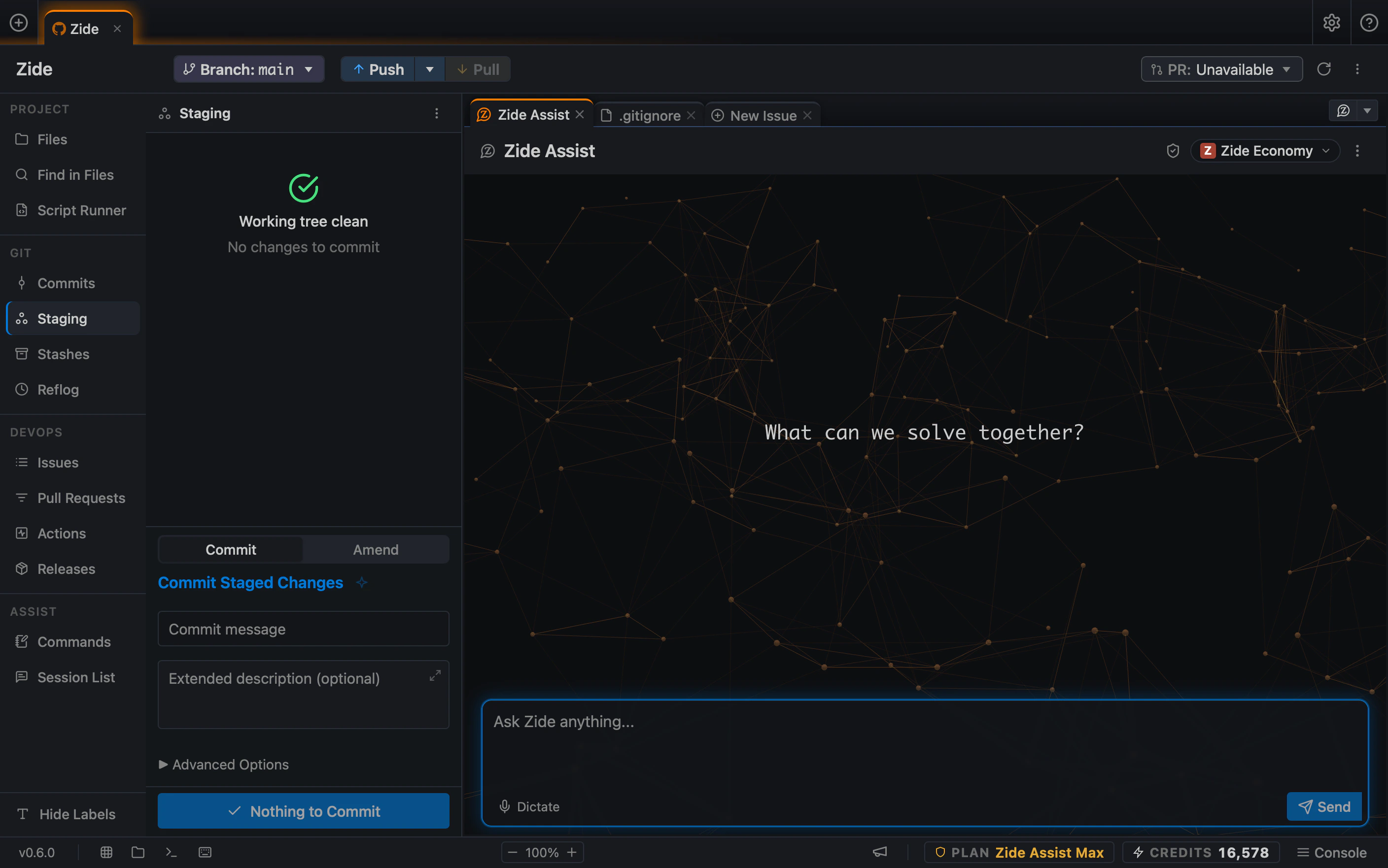
A task rarely stays in one window. It moves through issues, repos, AI chats, terminals, Git, pull requests, and CI before it ships. Zide keeps that path connected around the repository, while your tests, Git history, and review process stay exactly as they are.
What are you trying to do?
From issue to reviewed pull request
A backend engineer picks up a bug where an API continuously returns a stale subscription plan after a downgrade.
The first step is understanding the root cause. The issue stays pinned alongside the code while Zide Assist helps trace the relevant execution path.
The initial fix still fails a real test because the invalidation is not being awaited. The engineer can see the terminal output, adjust the change, rerun the test, and review the resulting Git diff before deciding what moves forward.
Git is still Git. The project tests still decide what passes. The developer still reviews the code.
This is part of why we built Zide around more than code generation. A small fix can move through issue context, investigation, testing, Git review, and the normal pull request process without requiring the developer to reconstruct the task every time the tool changes.
One change, several repositories
A change may begin in one service and finish somewhere else.
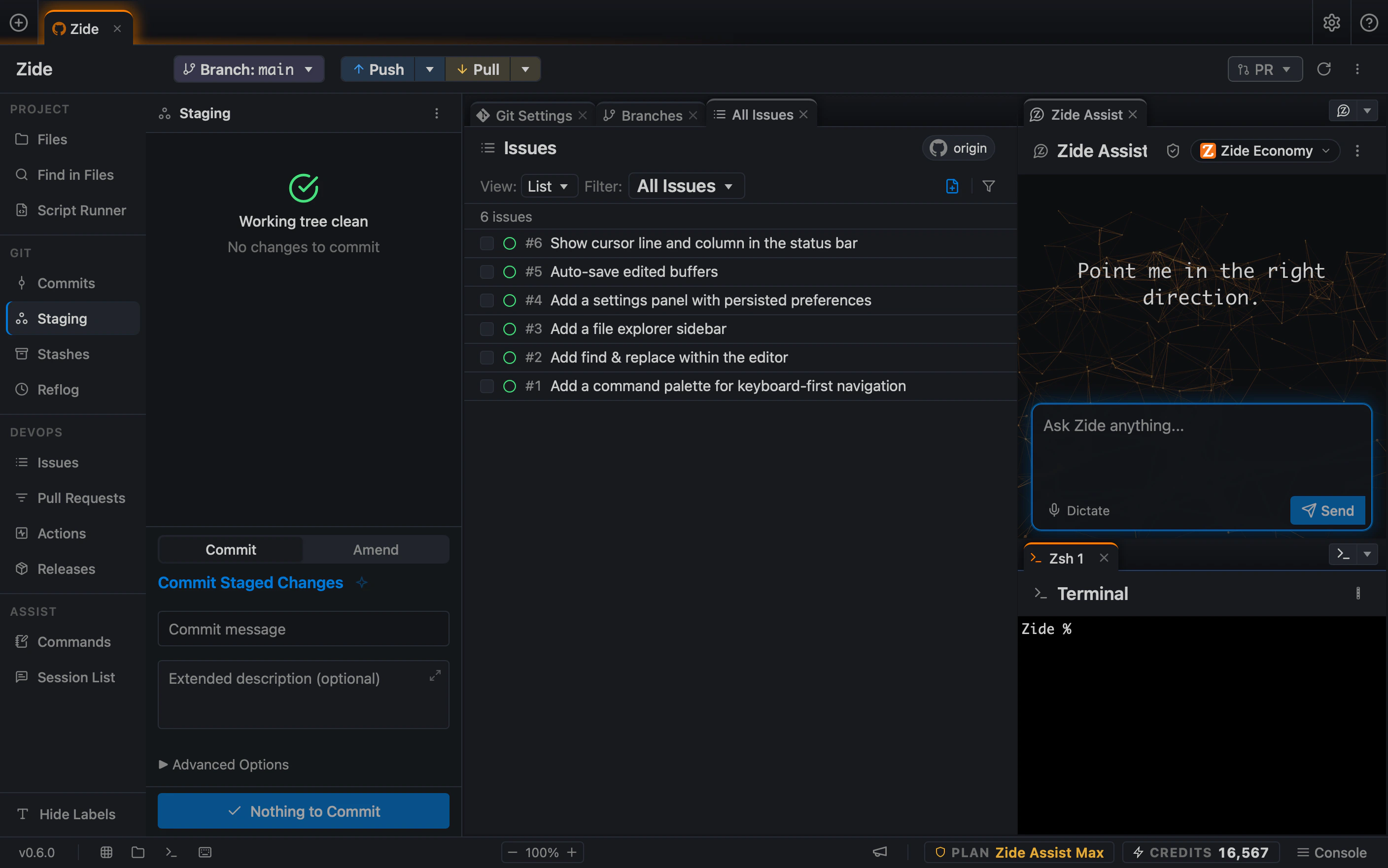
An entitlements update might touch a token issuer, API gateway, and frontend simultaneously. While each repository maintains its own Git history, tests, and deployment lifecycle, the intent behind the change must stay unified across all three.
Zide is designed to make that kind of work easier to follow. The developer can move between the repositories involved in the task while keeping the broader context visible.
The producer can be reviewed and tested first. The gateway and frontend can then be handled in their own repositories, with their own tests and Git diffs. Nothing needs to be collapsed into one repository just to keep the work understandable.
Deployment order often matters as much as the code itself. One service may need to handle backward compatibility before another service starts producing the new behavior.
This is part of why we built Zide around projects rather than assuming every development task fits inside one repository.
Use AI without giving up the review loop
A refactor can look simple until the differences between implementations start to matter.
Three integration clients might all feature retry logic, but each behaves differently. One retries network failures, another uses exponential backoff, and a third must avoid retrying write operations entirely.
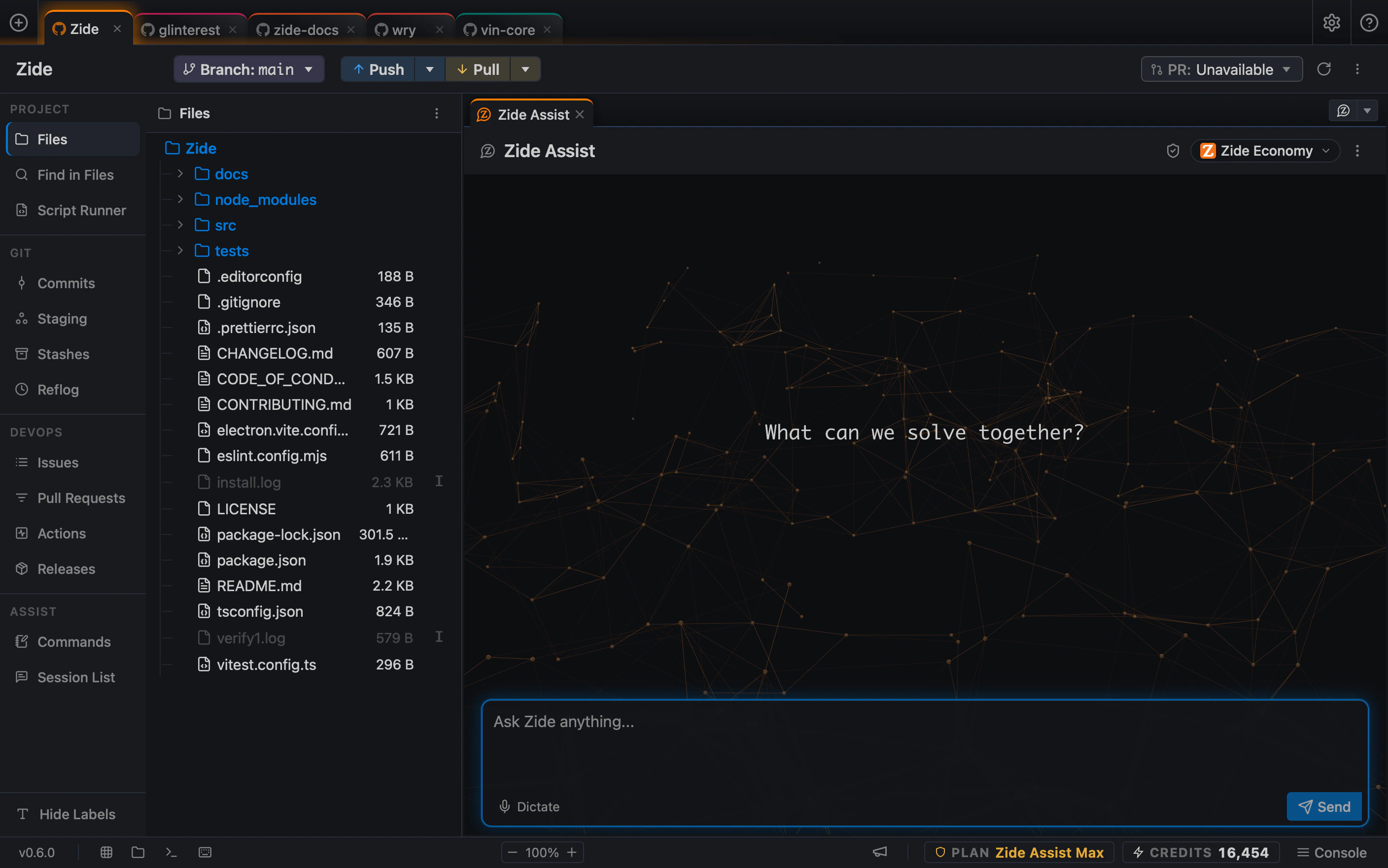
Before changing anything, the useful first step is investigation. Zide can help keep the relevant files, the AI conversation, terminal output, and Git changes in the same working context while the developer checks whether the agent has understood the differences correctly.
The change can then stay scoped. A real test run may expose something the agent explanation missed. The fix can be adjusted, the tests rerun, and the resulting Git diff reviewed before the work moves forward.
Use Zide Assist, supported CLI agents, your own AI API keys, or compatible local models on your own hardware.
Bring your own API keys and local models are available on Zide Standard and above.
AI can help with the investigation and implementation. The project tests still decide what passes. The developer still decides what gets committed.
Stay in control at every step. Use Plan mode to investigate and propose before implementation begins. Use Crosscheck to have another model review the proposed change. Review each change as a diff before it is applied, committed, or shipped.
AI proposes. Tests verify. The developer reviews.
Keep active work separate without putting it away
An engineer can be midway through feature work when something more urgent arrives: a production bug, review feedback, or another task that needs a different branch.
With Git worktrees, those tasks do not have to compete for the same working directory.
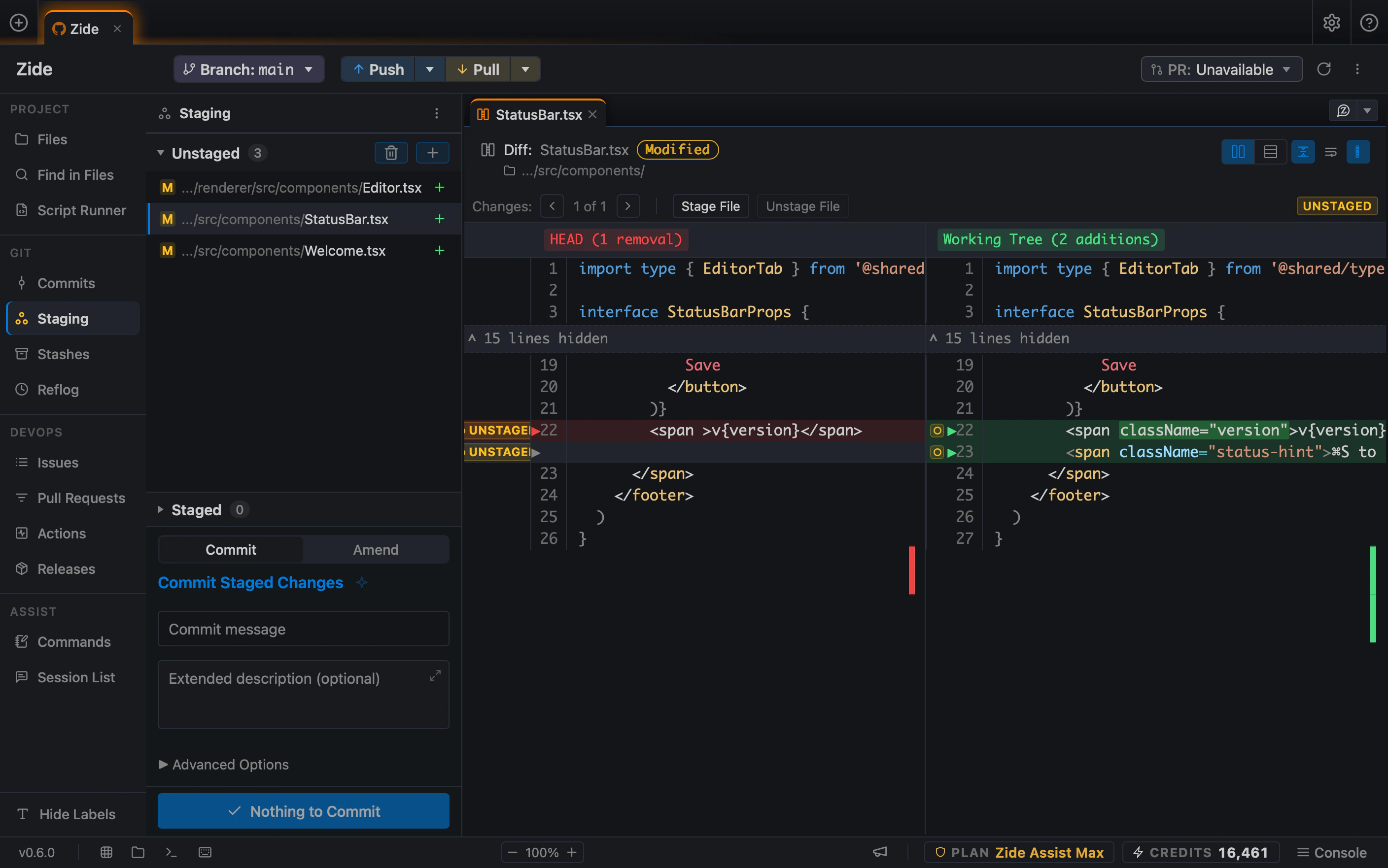
The unfinished feature can stay exactly where it is. A hotfix can start from a clean branch in its own worktree, with its own files, terminal, tests, and Git state. The developer can investigate the issue, run the project tests, review the diff, and ship the fix without first stashing or committing unrelated work.
When the hotfix is finished, the original feature work is still there in the state it was left in.
This is part of why we built worktrees into the Zide workflow. Interruptions are normal. The current task should not have to be artificially wrapped up just because another branch needs attention.
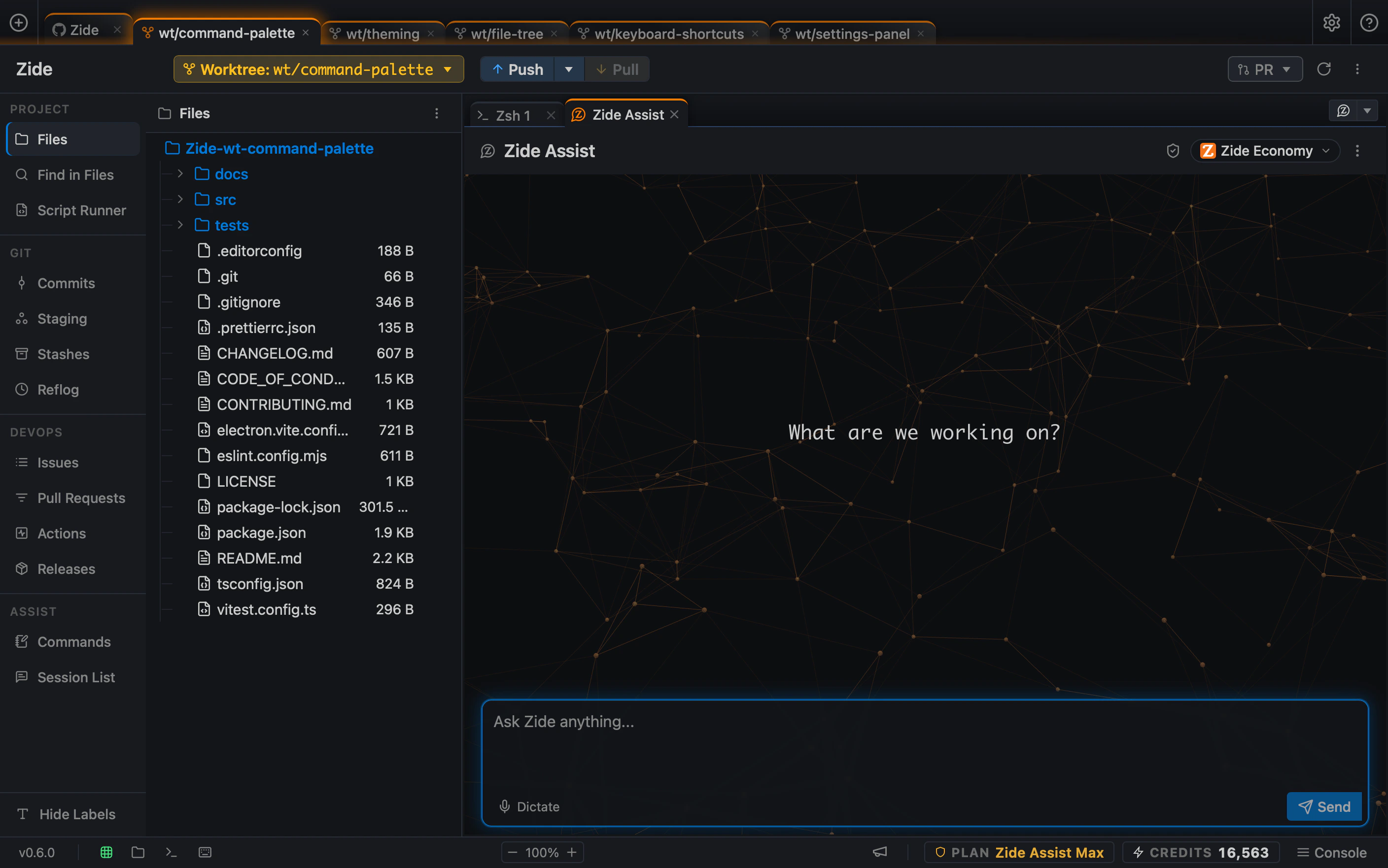
Keep feature work, fixes, and experiments isolated without constant branch switching or stashing. Fork a conversation into a worktree to give an idea, fix, or experiment its own working state. Return to the original work whenever you are ready.
Preserve working state across branches.
Keep more of the development loop connected
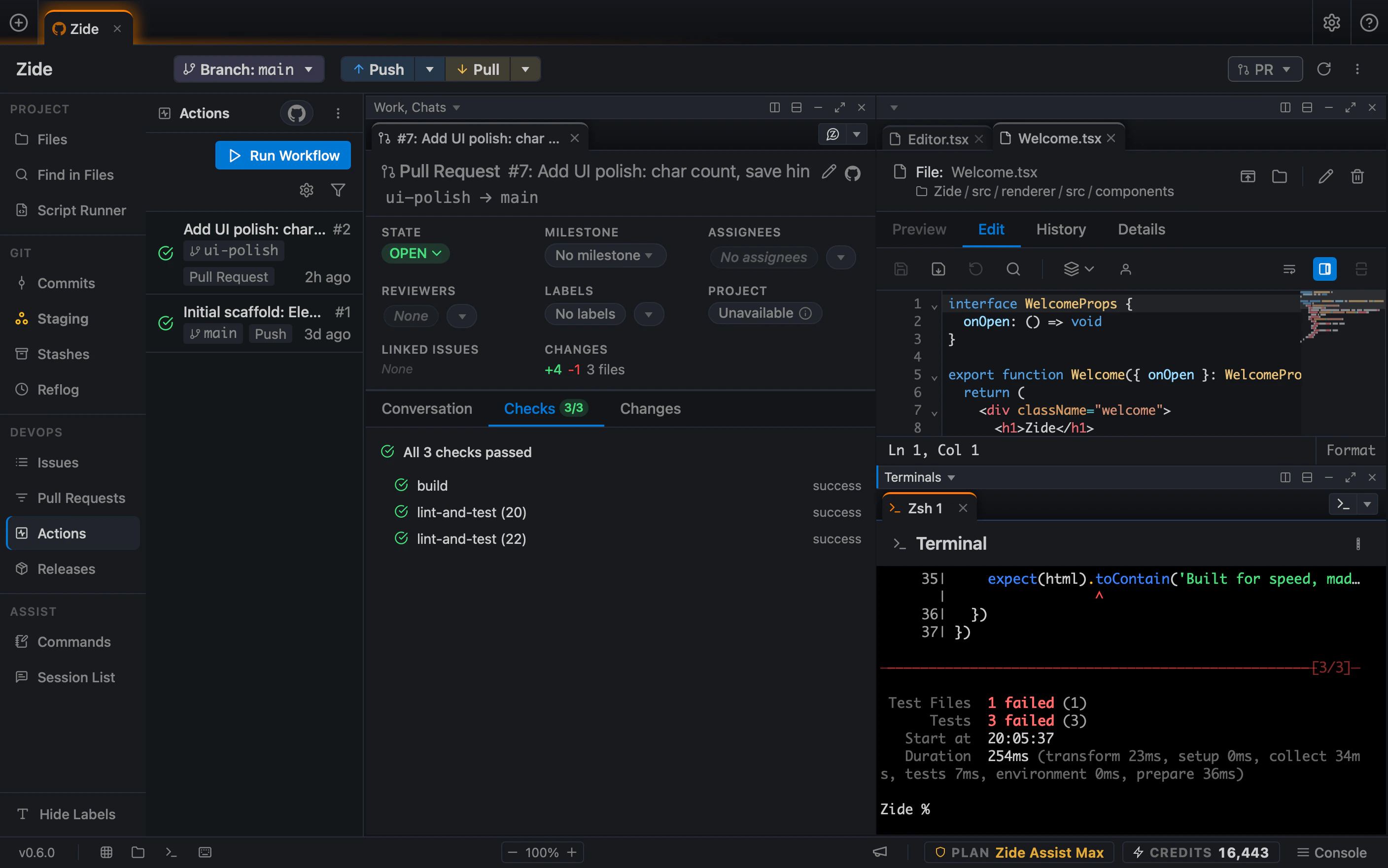
A normal debugging task may move through an issue, the repository, an AI assistant, the terminal, Git, a pull request, and CI.
Rebuilding task context while moving between tools creates much of the workflow overhead.
A validation regression is a good example. The issue describes the behavior to reproduce. The investigation follows the relevant code path. A real test run exposes the failure. That result becomes the next debugging input, rather than something that has to be copied into another tool and explained again.
The fix can stay scoped to the affected code and test. The project's own test and build commands remain authoritative. Before anything is committed, the developer reviews the actual Git diff and continues through the normal pull request and CI process.
Zide keeps more of the development loop visible while continuing to work with the engineering systems your team already uses.
A connected workspace reduces the number of times developers have to reconstruct task context.
Different problems, the same operating model.
Understand
Start with the repository and the task.
Investigate
Combine code, terminal output, and AI context to diagnose the issue before touching production code.
Validate
Run the project's existing tests, linters, builds, and development commands.
Review
Inspect the files and Git diff before the change moves forward.
Ship
Flow naturally into your team's existing Git, PR, and CI pipeline.
One less tool switch
Start with a repository. Keep the task, the code, and the context together until it ships.