Zide Models
Start immediately with built-in model access managed directly through Zide, including bundled usage credits.
Ask five developers which model they reach for, and you’ll get five different answers. Claude for the complex refactor. A fast, low-cost model for boilerplate. A provider your company already pays for. A local LLM when code cannot leave the machine.
Zide lets you choose the model and access method that fit the task. Use included models, bring your own API key, link an eligible subscription, or run a compatible local model. Swap the model at will while your repository, files, Git state, and review process stay right where they are.
A one-line fix and a 40-file migration can require different model capabilities.
Quick debugging calls for speed and low cost. Large-scale refactoring may require greater context capacity. Zide adds model selection directly into your workflow. Switch models mid-session without rebuilding your project context.
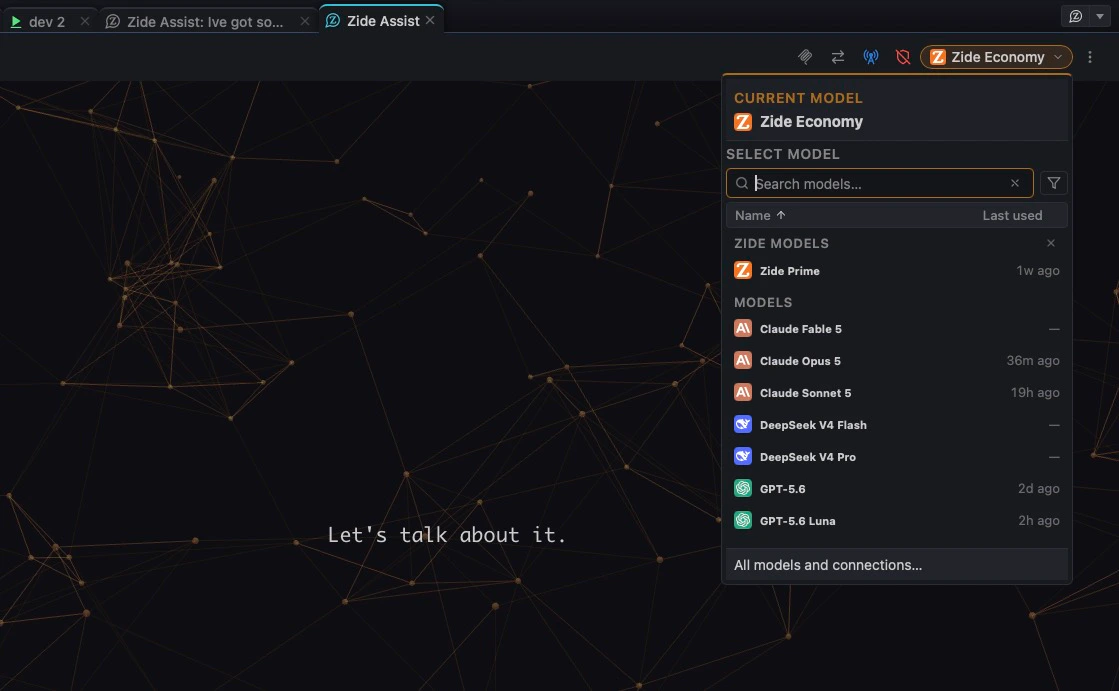
 ZideZide Models
 AnthropicClaude
 OpenAICodex
 GoogleGemini
 xAIGrok
 DeepSeekDeepSeek
Available models vary by provider and access method.
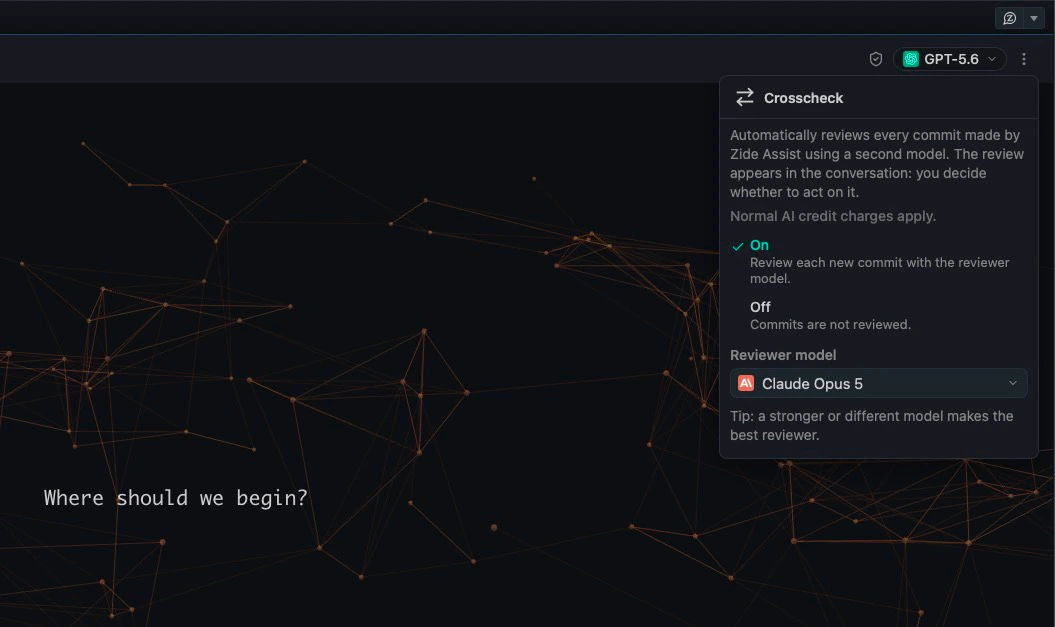
A second review can uncover issues the original model missed.
Crosscheck lets another model review the original model’s output before you commit. One model implements the solution and another reviews it. Use this additional review alongside your tests, Git diff, and existing engineering controls.
Start immediately with built-in model access managed directly through Zide, including bundled usage credits.
Bring your own API key, including OpenRouter, to connect compatible models through your existing provider account.
Available on Zide Standard and above.
Already paying for a provider subscription? Use an eligible model subscription inside Zide.
Run compatible local models on your own hardware. Local model requests stay on your machine. Connect local runtimes like Ollama or Llama.cpp for completely offline execution.
Available on Zide Standard and above.
How data is processed depends on the model provider and the way the model is accessed. Zide Models, your own API keys, eligible model subscriptions, supported CLI agents, and local models may each be subject to different terms and configurations.
Zide Models
Zide-managed model access may use third-party model providers. See the Privacy Policy for information about how AI inputs, outputs, and related data may be processed.
Other access methods
When you use your own API key, an eligible model subscription, a CLI agent, or a local model, the applicable provider terms and configuration may differ.
Zide works with the models you already use, your own keys, or included credits. Everything else about how you work stays the same.