Zide as a Git Client
- Git & Worktrees
- Developer Workflows
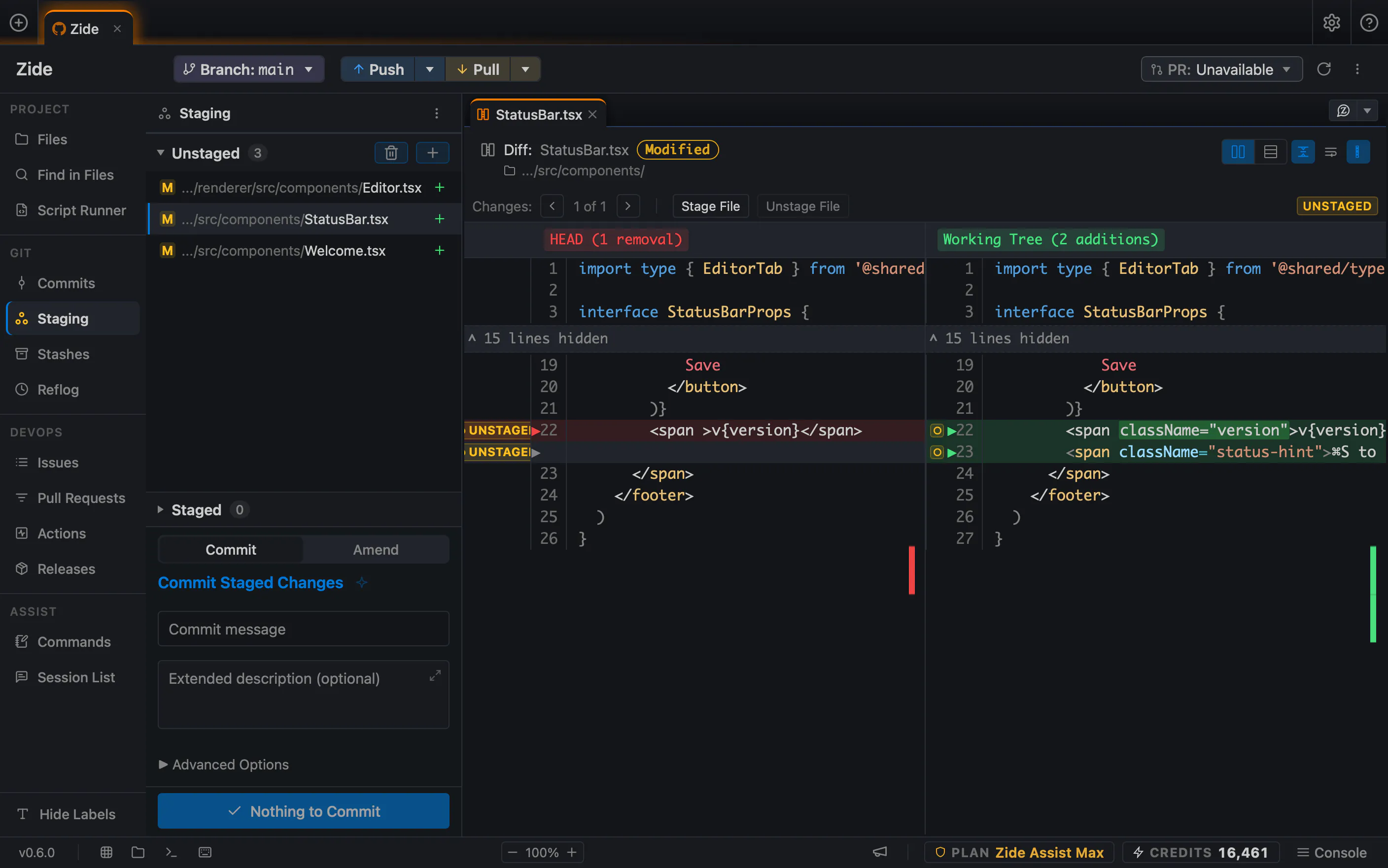
Zide is a full-featured Git client for Windows, macOS, and Linux.
With powerful staging, branching, history, and worktree tools, it’s a compelling alternative to leading Git clients like GitKraken, Tower, and GitHub Desktop.
Take control of every commit
Commit exactly what you mean to. See where your branches stand. Keep the difficult days manageable. Zide brings a deep Git toolset to your daily workflow:
- Staging: select whole files or individual hunks.
- Diffs: side-by-side, unified, and image comparisons.
- History: visual commit graph and search by author, message, or changed code.
- Blame and file history: see who changed a line and explore earlier file versions.
- Branches: create, switch, manage, and track ahead/behind state.
- Comparisons: compare branches, tags, and commits, plus before-and-after rebase changes.
- Merging: merge, rebase, cherry-pick, and resolve conflicts inline.
- Interactive rebase: reorder, squash, reword, split, or drop commits, with fixup and autosquash support.
- Bisect: track down the commit that introduced a bug with guided good/bad testing.
- Commits: amend, revert, and reset.
- Stashes: preview, apply, pop, or turn a stash into a branch.
- Recovery: browse the reflog and recover available commits.
- Worktrees: create, compare, merge, lock, and manage parallel checkouts.
- Repositories: clone, fetch, pull, push, and manage remotes and tags.
- Signing and hooks: GPG/SSH commit and tag signing, plus Git hook management.
- Dependencies: manage submodules and subtrees.
- Large repositories: Git LFS, sparse checkout, and shallow and partial clone support.
From your next bug fix to a repository with years of history, there’s room to grow.
Go beyond Git
Zide brings much more to your desktop: Zide Assist for AI-powered development, a built-in code editor and terminals, multiple repositories, issue management, pull requests, and CI. QuickTree starts an agent in a new worktree, while Crosscheck gives Zide Assist’s commits a second-model review. Explore all of Zide’s features.
You get a Git client you’ll use throughout the day, with more of your development workflow built in.
Download Zide free for Windows, macOS, or Linux and make your next commit in it.
For everyday development, choose a paid plan: Solo adds unlimited open projects, full private-repository access, and monthly AI credits. Standard adds access to every model in the catalog. Bring your own API keys and local models are available on Zide Standard and above.