Zide 0.7.5: Powerful Git, Better AI Workflows
- Product Updates
- Git & Worktrees
- AI-Assisted Development
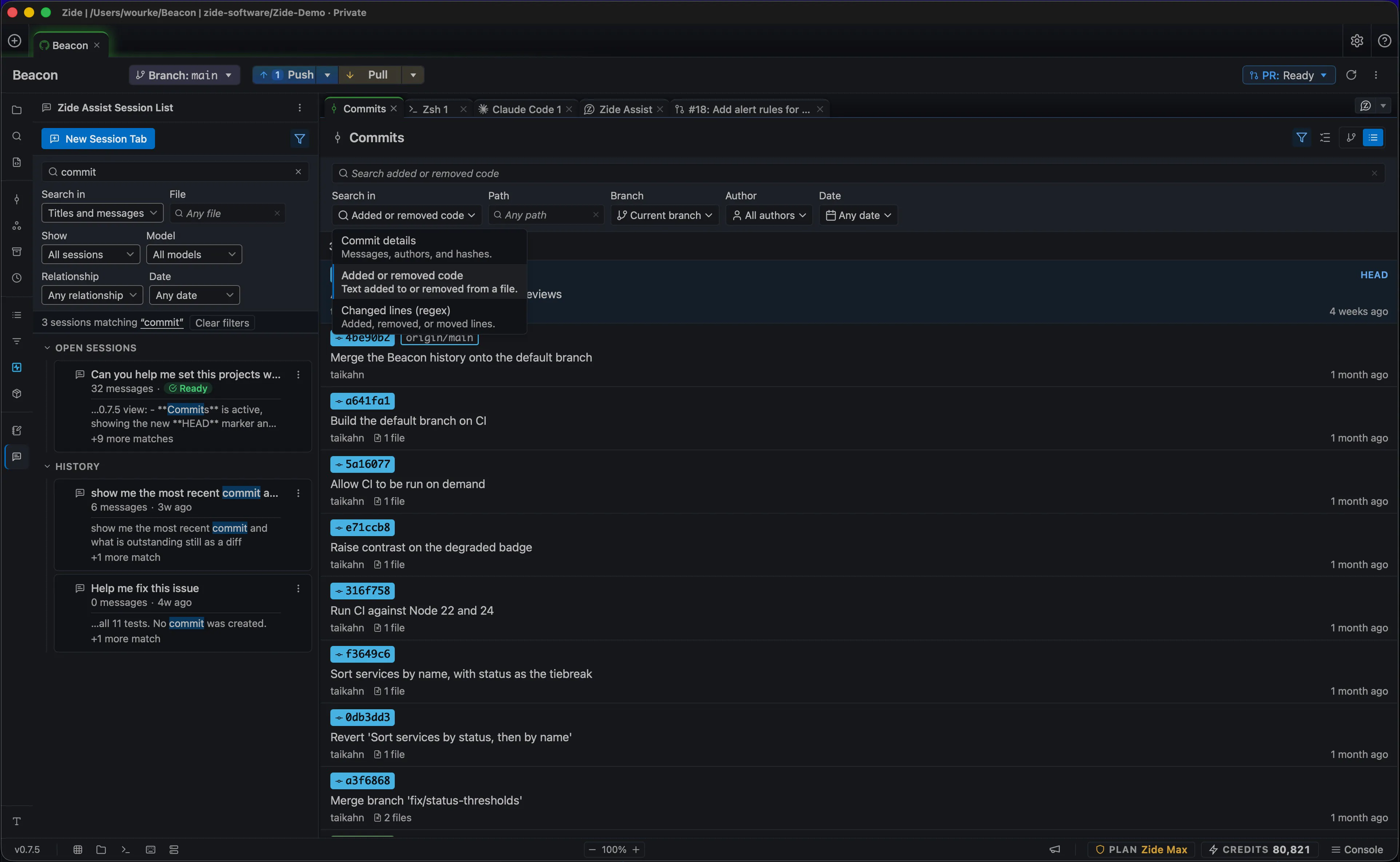
Zide 0.7.5 is here! We’ve packed this release with powerful Git tools, better ways to work with Zide Assist, and improvements throughout the app. Update now through Help > Check for Updates…, or download Zide free.
Powerful Git tools
- Visual interactive rebase: reorder, reword, squash, split, or drop commits to build a cleaner history. Saved plans let you pick up after a restart.
- Fixup commits and Autosquash: fold corrections into the right commits without manually rearranging your history.
- Before-and-after rebase comparisons: see exactly how your commit series changed before sharing it for review.
- Guided Git bisect: narrow down the commit that introduced a bug with a clear good/bad testing workflow.
- Search by changed code: find the commits that changed a function or removed a line, even when commit messages don’t help.
- Richer commit and diff views: see related issues and submodule changes, filter changed files, and review diffs in stacked or sidebar layouts.
- Commit and tag signing controls: configure GPG or SSH signing and test your setup before you commit.
- Stronger submodule workflows: update individual submodules to their latest tracked commits and catch unpublished submodule commits before pushing the parent repository.
- Worktree repair: reconnect moved worktrees and repair broken references so you can get back to your branches.
- Better shallow and partial clone support: fetch missing history and download file versions as needed for history and blame.
- Clearer conflict handling: see what a paused Git operation needs next and preview the working file before staging a conflict resolution.
- Git LFS and filter handling: stage and restore files through Git so they follow your repository’s filters and encoding rules.
Better AI workflows
- Search inside Assist conversations: find answers in your messages and Assist’s replies, with filters for date, model, and files read or changed.
- Find conversations from a file: jump from the file browser to sessions that worked on that file or folder.
- Session tree: follow forks and continuations to see where an idea started and how the work developed.
- Conversation minimap: jump to earlier messages in long sessions without scrolling through the entire conversation.
- Consistent attachments: drag items or use Send to Zide Assist to bring files, commits, issues, and tabs into the conversation.
- More complete exports: share Markdown conversations with Crosscheck reviews, reviewer names, commit hashes, questions, and recorded answers included.
- Session Watch filters: quickly find the Assist, CLI agent, or terminal session you need across open projects.
Improvements across the workspace
- More focused Universal Finder: choose what to search and switch between the current project and all open projects, including Assist sessions.
- Searchable settings: find a setting by its name or description instead of hunting through categories.
- Better minimaps: navigate changes in editors and diffs, and jump between sections in long document previews.
- Smoother repository setup: clearer create and publish dialogs, plus live clone progress, make it easier to get a project underway.
- Performance improvements: less rendering work for large diffs, streaming Assist replies, and file-browser updates helps keep the workspace responsive.
- Linux fixes: improved external file dragging and a fix for crashes triggered by clicks after opening a browser tab.
Update today and put the new tools to work. Download Zide | Explore plans