Git Worktrees for Developers Who Have More Than One Thing Going On
- Git, Worktrees & Repositories
- Developer Workflows
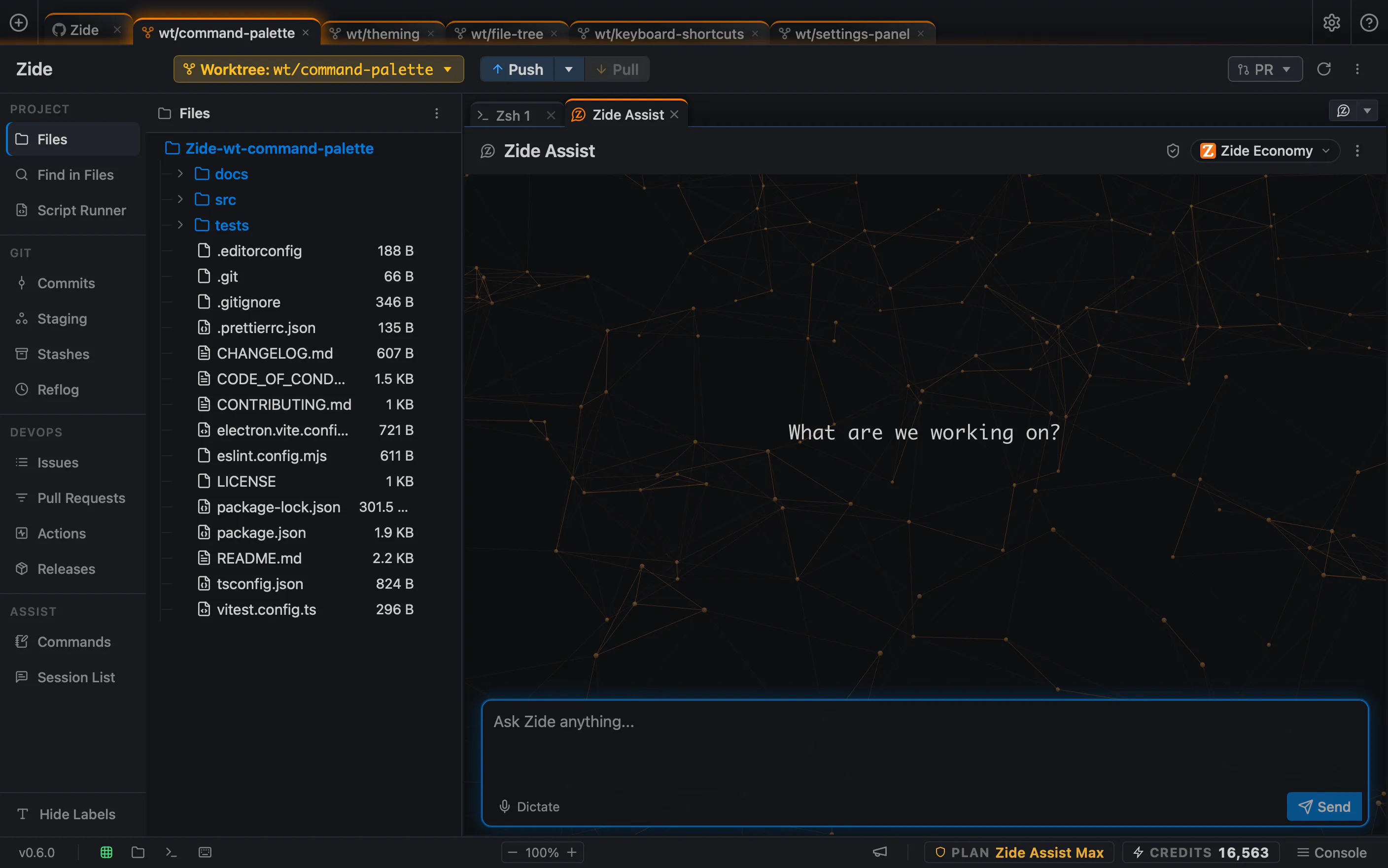
Most days don’t go as planned. You’re halfway through a feature with a branch full of uncommitted work, and then something suddenly takes priority, a production hotfix or an urgent review comment on another pull request.
The standard workaround is to stash your changes, switch branches, address the issue, and switch back. While this approach works and has served developers for years, it forces you to constantly pack up and unpack your workspace, even for minor interruptions.
Git actually has a built-in feature for this that many developers overlook, Git worktrees. Instead of one working directory that changes branches, a repository can have more than one working directory, each checked out to a different branch, existing at the same time. You can create a worktree via the Git CLI or directly within Zide:
git worktree add ../project-hotfix hotfix/session-cookieThe work in the original directory stays exactly as it was left. The new directory starts clean, on the branch that actually needs attention. Nothing about the unfinished work had to be paused, committed early, or set aside.
I tend to keep two or three worktrees open throughout the week, one for whatever the main task is, one for anything urgent that might come up, and a third for reviewing someone else’s changes. It removes a small piece of friction that used to happen several times a day without me noticing it as friction.