Your AI terminal workflow does not need replacing
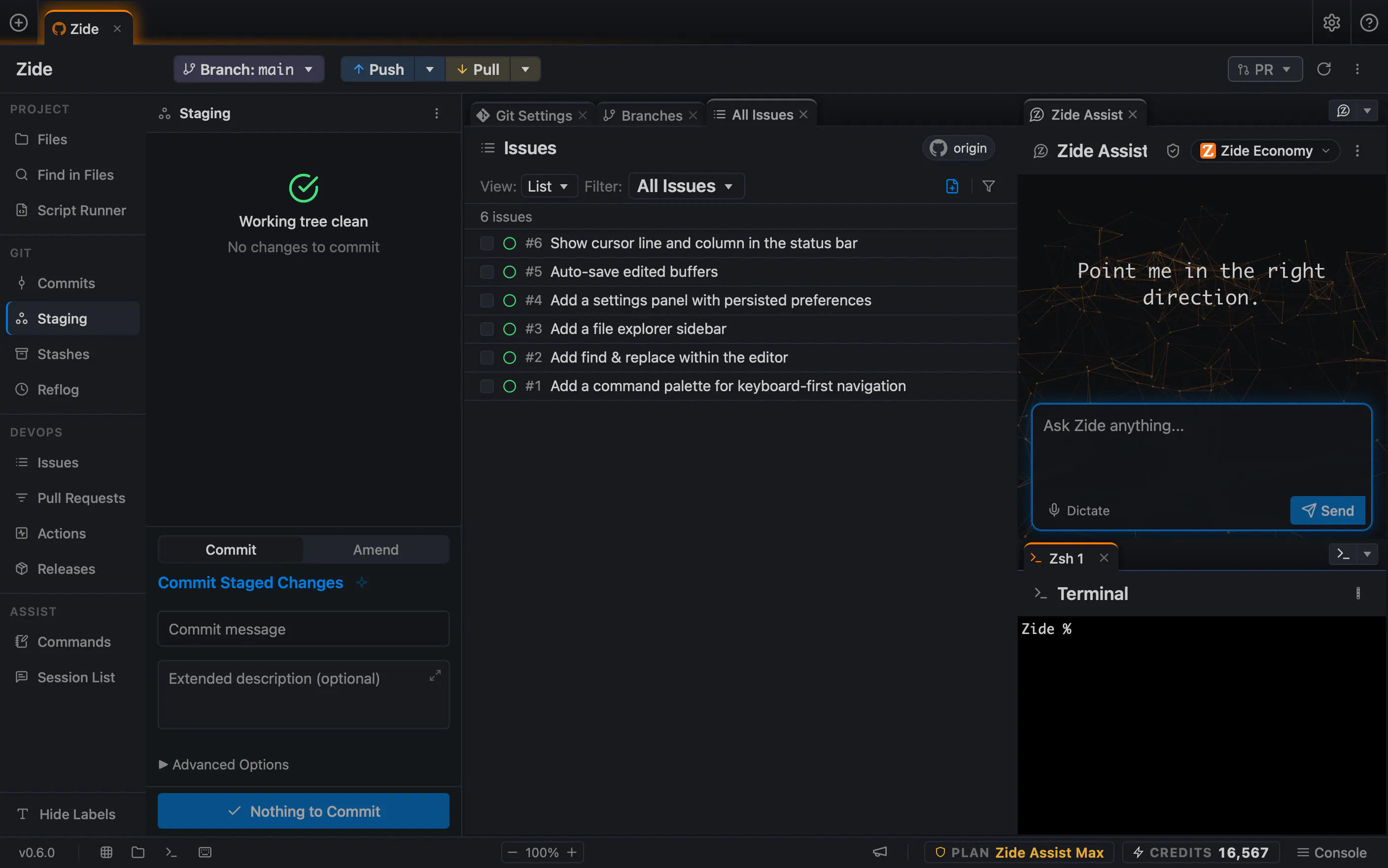
Post hero: a Zide UI screenshot relevant to the article, or an abstract brand graphic.
A lot of developers already have an AI workflow that works. They use Claude, Codex, or another tool in the terminal. One model might plan the work, another implements it, and then the first model comes back to review the results.
If you are working alone, you may not need pull requests, complicated branching strategies, or a sophisticated Git workflow. You may just let AI handle most of the coding and source management while you focus on building the product.
Zide is designed for this type of developer too.
You can use the terminal tools you already like inside Zide while keeping your repositories, files, changes, Git state, issues, and AI conversations together in the same workspace.
Working alone does not mean working on one thing
Solo developers often work across several applications, repositories, experiments, and client projects at the same time.
Even without a team, it can become difficult to remember which model worked on which project, what changed, what has been committed, and what still needs to be reviewed.
You should not need to be a Git expert to answer those questions.
Zide keeps the Git workflow visible without requiring additional process. Branches and pull requests are available when they are useful, but they are not required. You can keep the workflow as simple as you want while still being able to see what the AI changed and review it before moving on.
Context across projects should remain under your control
Zide supports project memory for information specific to a repository and global memory for useful information that can apply across repositories. This memory is stored locally by Zide.
Zide does not silently give every model access to every project. The desktop app assembles the relevant conversation and context for each request. When you use Zide’s managed models, the request goes through our proxy, which routes it to the selected model provider.
The proxy handles the model request and routing. It is not a hidden store containing everything from your repositories.
We feel this is an important distinction. Context can carry across your work when it is useful, but it should remain controllable by the developer.
Different models can do different parts of the work
I often prefer one model for planning, another for implementation, and another for reviewing the result.
Zide’s Crosscheck feature makes the review step easier. You can select a separate reviewer model, including one from a different provider, to review commits made by Zide Assist. The review appears inside the conversation, and you decide whether to act on it.
This makes it possible to use a quick model for one part of the task, a more capable model for another, and an independent model to check the finished work.
The model does not need to define your entire workspace. It should be one part of the workflow, and it should be easily changed as the work changes.
A simple workflow can still be a good workflow
Developers will sometimes describe their own workflow as lazy when they really mean that they removed the steps they did not need.
The best workflow is not always the most elaborate one. It is the one that helps you build, understand what changed, and stay in control without creating unnecessary work.
With Zide, you can keep using the terminal and AI tools you already know. We provide the repository, Git visibility, controllable context, model choice, and code review surfaces around them. Zide gives the workflow that is already working a place to live.